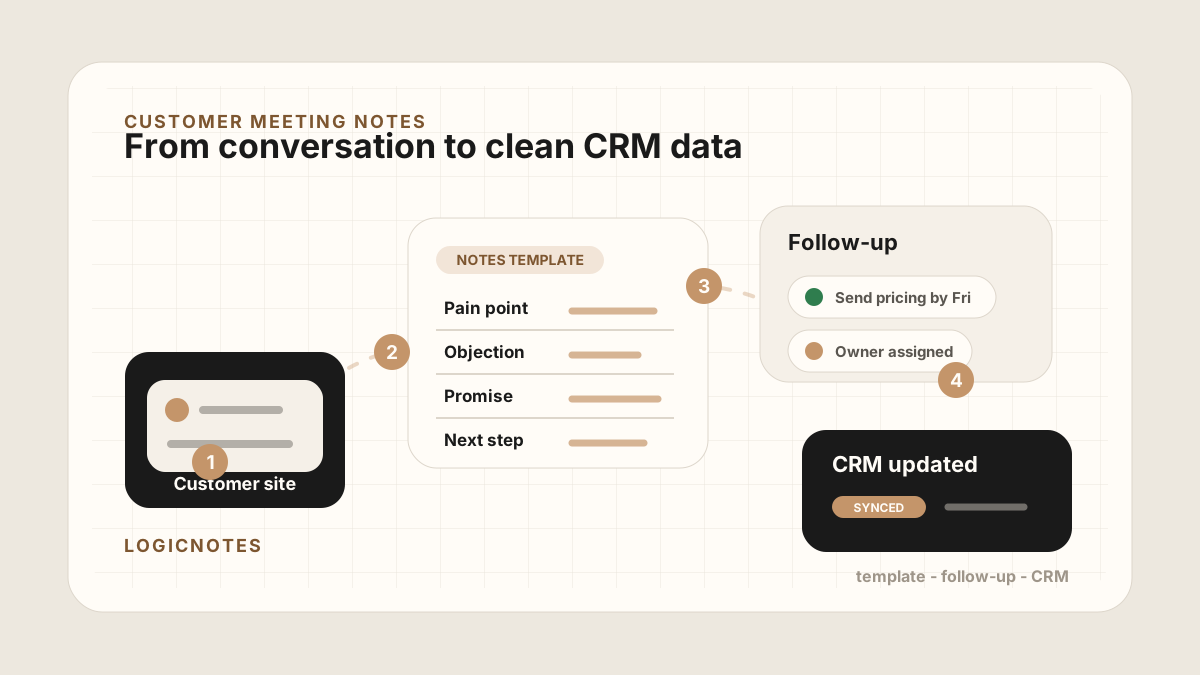
A good customer meeting can create more useful sales context than a week of email. The customer explains what is broken, who cares, what budget is attached, what deadline matters, and what they need to see next.
Then the meeting ends. Another call starts. A Slack message arrives. By the time the CRM gets updated, the note has been reduced to "great meeting, follow up next week."
For field sales reps, customer notes sit inside the broader field sales app CRM field map. The route gets the rep to the customer, a mobile CRM keeps the account visible, and the meeting note turns the visit into follow-up. It also belongs in the rep-level where outside sales visits, field sales check-ins, visit tracking, activity tracking, and follow-up tasks become CRM-ready work.
The useful 2026 template is not just a note-taking aid. It is the structured input for follow-up emails, CRM tasks, Salesforce or HubSpot updates, Google Sheets rows, manager reviews, and the next customer conversation.
The job of a customer meeting notes template is not to make the note prettier. It is to preserve the details that help the next sales action happen correctly.
Quick Answer: What Customer Meeting Notes Template Should Sales Teams Use?
The best customer meeting notes template for sales teams captures meeting context, customer situation, pain points, decision process, objections, promised follow-ups, owners, due dates, originating meeting, CRM destination, sync status, and next-step status so the note can become follow-up tasks, Salesforce or HubSpot updates, Google Sheets rows, and a useful customer timeline.
- If notes are too vague: prioritize customer facts, buyer quotes, pain points, objection details, decision criteria, and why the next step matters.
- If follow-up gets missed: prioritize promised follow-up, task owner, due date, customer reason, priority, and whether the task has been created.
- If CRM updates are inconsistent: prioritize CRM destination, account or contact match, CRM field map, after-sync hygiene, sync status, and blocked fields.
Why Customer Meeting Notes Need a Template
Unstructured notes are easy in the moment and painful later. They mix customer quotes, internal guesses, next steps, and random reminders in one long block of text. That might feel complete when the conversation is fresh. It becomes vague when a sales person needs to act on it three days later.
A template makes the meeting useful after the meeting. It separates what the customer said from what the sales team should do next. It also makes the CRM easier to trust because every meeting is captured in a consistent shape.
- It protects the customer's actual words. Do not rewrite a specific objection into a generic label like "pricing concern."
- It turns promises into work. If someone said they would send pricing, invite a technical lead, or check timing, the note should make that visible.
- It gives managers context. A manager should be able to scan the note and understand what changed in the deal.
- It keeps the CRM clean. Structured meeting notes are easier to sync, search, report on, and turn into tasks.
What Every Customer Meeting Note Should Capture
Keep the template short enough that sales people will actually use it. The goal is not to write a transcript. The goal is to capture the details that influence follow-up, pipeline movement, and customer trust.
Customer meeting notes work best when they separate decisions, action items, owners, due dates, meeting origin, and the place where the note will live after the meeting. For sales teams, that destination is usually the CRM, a sales tracker, or a field-rep call report.
| Section | What to write | Why it matters |
|---|---|---|
| Meeting Context | Customer name, company, date, location, attendees, and meeting purpose. | The note needs to map back to the right account, person, and deal. |
| Customer Situation | What is happening inside the customer account right now. | Context explains why the conversation matters now. |
| Pain Points | The specific problem, workflow gap, risk, cost, or frustration the customer described. | Pain points should guide the follow-up, demo, proposal, and CRM note. |
| Decision Process | Who decides, who influences, what has to happen, and what timing is real. | The next step changes if the buyer is not the final decision maker. |
| Questions and Objections | Pricing, security, implementation, competitor, timing, legal, budget, or fit concerns. | Objections explain why a deal might slow down before it actually stalls. |
| Promised Follow-Ups | The exact things each side promised to send, confirm, or introduce. | Specific promises are where trust is won or lost. |
| Owner and Due Date | Who owns the next action and when it should happen. | A next step without an owner and date is not a sales task. |
| Originating Meeting | The visit, recording, recap, or sales call report that created the note. | Meeting origin makes the CRM note easier to verify later. |
| CRM Status | Synced, needs update, needs task, or waiting on customer. | The CRM should show whether the meeting has become usable sales data. |
Customer Meeting Notes Template
Use this as a starting point after an in-person customer meeting. It is deliberately simple. You can paste it into a CRM note, a Google Sheet, or an internal sales workspace.
Copy this structure
Example Customer Meeting Notes
Here is what the template looks like when it is filled out. The point is not to write a perfect memo. The point is to make the next action obvious.
Example
Meeting context: ACME Operations, June 23, in-person site visit. Attendees: Dana Lee, Priya Shah, Mark Tan. Meeting type: discovery and workflow review.
Short summary: ACME wants to reduce manual reporting after customer visits. The team is currently updating CRM notes at the end of the day, which causes missed follow-ups and incomplete account history.
Customer situation: Sales reps are spending too much time rewriting field notes. Managers do not trust the CRM because important meeting context is missing or delayed.
Key pain points: Follow-ups are inconsistent. Notes are too vague. Customer-specific objections are not visible during pipeline reviews.
Questions and objections: Dana asked whether the CRM task owner can be changed after notes are synced. Priya asked whether Google Sheets can be used for a weekly review export.
Follow-ups promised: Send CRM sync workflow, send Google Sheets example, and introduce implementation contact by Friday.
Next step: Owner: sales rep. Due: Friday. CRM status: needs note and task creation. Customer-facing step: send recap email with workflow screenshots.
Customer Meeting Notes Template by Meeting Type
Different customer meetings create different notes. A discovery visit, field demo, conference conversation, renewal check-in, and post-meeting recap all need the same basic structure, but the CRM handoff should emphasize different details.
| Meeting type | Capture first | Best next destination |
|---|---|---|
| Customer office visit | Discovery summary, buyer pain, stakeholders, and next step. | CRM note, owner task, and follow-up email. |
| Field demo or site walk | Operational constraints, reference details, risks, and questions raised on site. | Implementation task, product question, owner, and due date. |
| Conference or event conversation | Event origin, lead temperature, promised resource, and reason to follow up. | Lead or contact note, follow-up task, and event context. |
| Expansion or renewal check-in | Account health, adoption gap, risk, and expansion signal. | Account note, renewal risk, and internal follow-up. |
| Post-meeting recap | What changed, missed question, promised task, and customer-facing recap. | Same-day CRM task and follow-up email. |
Customer Meeting Notes CRM Field Map
The template is only useful if it becomes action. After the meeting, the note should create or update the right CRM fields, tasks, and follow-up reminders.
For a deeper workflow, see how to capture action items from sales meetings and turn sales meeting notes into CRM tasks. If you also use spreadsheets, the same structure can feed a simple review sheet; see the Google Sheets CRM guide and its after-sync hygiene.
After Customer Notes Sync: Keep the CRM Clean
Modern AI note tools, including LogicNotes, sync customer meeting notes to the CRM automatically. There is no approval screen between the meeting and the record, and that is the point: the rep stays out of data entry. The trust layer moves into the CRM itself, as a quick after-sync habit instead of a pre-sync gate.
After a synced note lands, a two-minute pass covers what matters: confirm the note attached to the right account or contact, make sure the next step exists as a real task with a date, and fix anything that looks off by editing the note or task directly in Salesforce, HubSpot, Zoho CRM, Dynamics 365, or Google Sheets. Edits made in the CRM are visible to managers and teammates right away, so the record stays trustworthy without slowing down the field day.
Customer Notes to CRM Handoff Checklist
Before the note is done, make sure the useful parts have somewhere to go. A customer meeting note should not sit as a polished paragraph if the sales team still needs a task, email, CRM update, or manager-readable status.
Before the note is done
If your team needs a deeper sync workflow, connect this checklist to the Salesforce meeting notes sync guide, the HubSpot meeting notes sync guide, the in-person meeting follow-up template, and the guide to reducing CRM admin for sales reps.
Common Customer Meeting Notes Mistakes
The biggest mistake is writing notes that feel complete but do not help anyone take the next step. A long note can still be useless if it does not identify what changed, what was promised, and who owns the follow-up.
- Writing "good meeting" as the summary. Say what made it good. Was there budget, urgency, a new stakeholder, or a clear next step?
- Mixing facts and guesses. Separate what the customer said from what the sales person thinks it means.
- Skipping the customer's exact language. A phrase like "our reps keep forgetting follow-ups after site visits" is more useful than "needs productivity improvement."
- Leaving out owners. A note that says "send proposal" should also say who sends it and by when.
- Not updating the CRM. Notes that sit outside the system of record create the same admin problem later.
Field Sales Customer Notes Workflow
A field sales rep may finish one customer visit and drive straight to the next. The note workflow has to preserve the customer context without asking the rep to rebuild the conversation at the end of the day.
Use this after each customer visit
This connects naturally to sales route planning, sales visit notes, meeting follow-up templates, and a CRM hygiene checklist. The customer note should help the next visit, the next email, and the next pipeline review.
Where LogicNotes Fits
LogicNotes is built for sales people who have important customer conversations away from the desk. Record an in-person meeting on your iPhone with consent, get a clean AI summary and action items, then let the notes and tasks sync automatically to your CRM or Google Sheets automatically.
That means the template does not depend on memory. The meeting becomes structured notes, follow-ups, and CRM-ready context while the conversation is still fresh. For teams comparing an outside sales app, the same template can connect route-day capture, follow-up tasks, and CRM sync.
Customer Meeting Notes FAQ
What should customer meeting notes include?
Customer meeting notes should include meeting context, customer situation, pain points, decision process, objections, promised follow-ups, owners, due dates, originating meeting, and CRM status.
What is the best customer meeting notes template for sales teams?
The best customer meeting notes template separates meeting context, customer facts, pain points, objections, promised follow-ups, owners, due dates, CRM destination, and next-step status so the note can become tasks and follow-up instead of a loose transcript.
How should field sales reps take customer meeting notes?
Field sales reps should capture the visit or a quick recap while it is fresh, separate customer facts from rep interpretation, extract promised follow-ups, and let the notes and tasks sync automatically to CRM before the next customer stop.
Can AI turn a customer meeting recording into notes?
Yes. A phone-first AI note workflow can turn a customer meeting recording or recap into a structured summary, customer pain, objections, action items, owners, due dates, and CRM-ready fields.
Should customer meeting notes include a full transcript?
Usually no. A transcript can be useful as a source, but the working customer note should be shorter and structured around decisions, objections, follow-ups, owners, due dates, and CRM-ready context.
How do customer meeting notes become CRM tasks?
Turn each promise, request, blocker, or next step into a separate CRM task with one owner, clear deliverable, due date, customer context, and a link back to the originating meeting note.
Where should customer meeting notes live after the meeting?
Customer meeting notes should live on the account, contact, deal, opportunity, or sales tracker where the next action will happen. They should not remain only in a personal notes app or transcript.
Can customer meeting notes sync to Salesforce, HubSpot, or Google Sheets?
Yes. Customer meeting notes can sync to Salesforce, HubSpot, or Google Sheets when the note is structured into fields such as account, contact, meeting summary, action items, owner, due date, status, and follow-up context.
How do customer meeting notes help reduce CRM admin?
Customer meeting notes reduce CRM admin when reps capture once, review a structured AI summary, create tasks from promises, and let the notes and tasks sync automatically to CRM instead of rewriting the same conversation in multiple tools.
Turn customer meetings into clean CRM follow-up.
If your customer notes start in person but need to end up in your CRM or Google Sheets, LogicNotes was built for that.
Download LogicNotes for iOS