★★★★★
Built for sales, by sales
"Clearly built by experienced sales professionals. It fits naturally into live conversations without disrupting flow, and makes post-meeting follow-up significantly more efficient."
Walk into any meeting, tap record, and walk out with structured notes synced to your CRM. No bots. No typing. Just Focus.
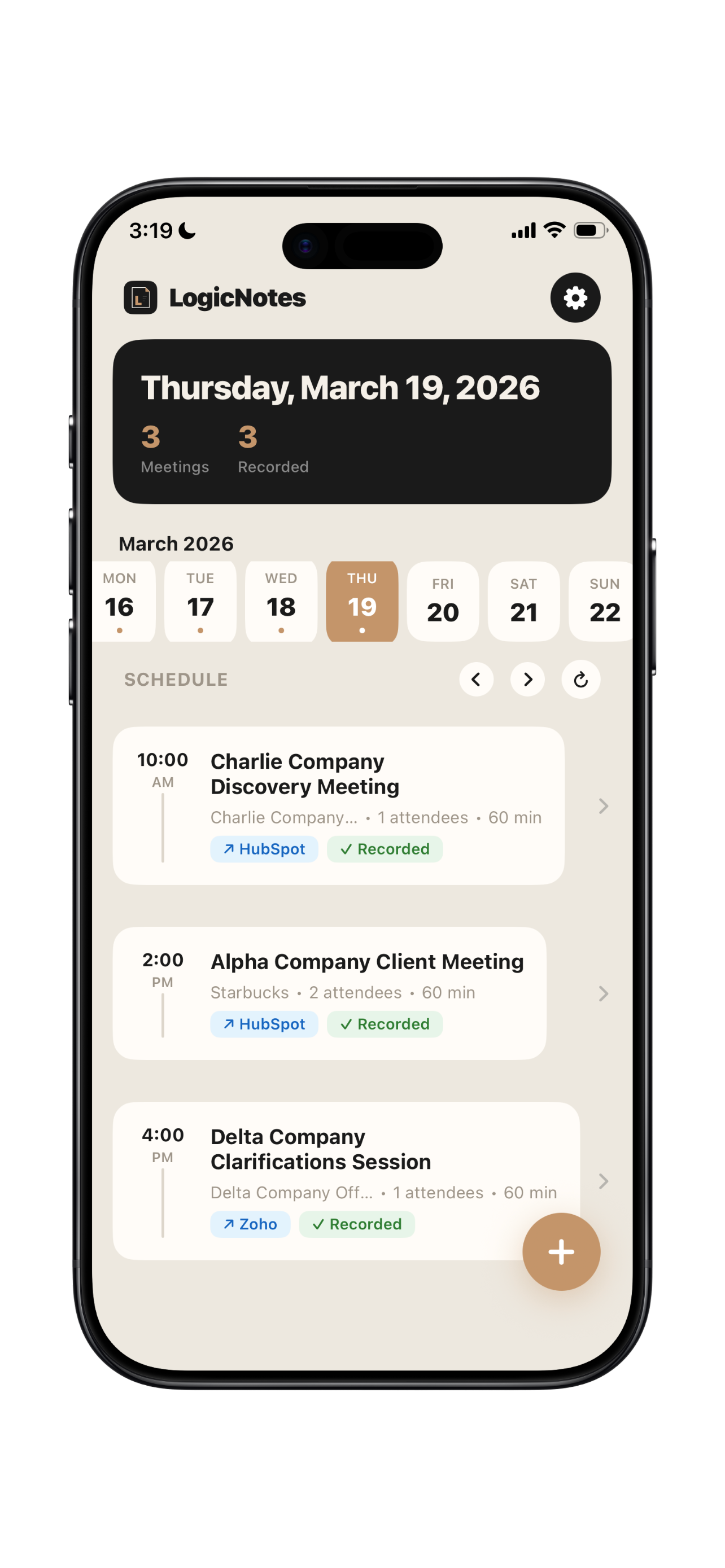
After every face-to-face, reps spend 30–60 minutes updating CRM records, logging notes, and creating follow-ups — often missing key details in the process. LogicNotes eliminates that entire gap.
Hours recalling details and manually transcribing scribbles into your CRM.
Forgetting to log deal stages, update contacts, or add meeting outcomes.
Action items from the meeting never make it into a system — they stay in your head.
The longer the gap between meeting and follow-up, the colder the prospect.
"Clearly built by experienced sales professionals. It fits naturally into live conversations without disrupting flow, and makes post-meeting follow-up significantly more efficient."
"Easy to connect my work email, calendar, Dynamics 365 and Google Sheets. Summaries clearly capture decisions and follow-ups, and the CRM handoff is clear."
"Notes go into the contact page of whoever is in the meeting, and it adds reminders for action items inside the CRM. All in one."
From conversation to CRM in the time it takes to walk to your car.
No bots to invite, no laptops to open. Just tap record on your phone and focus on the conversation. Built for in-person meetings from day one.
LogicNotes doesn't just transcribe. It identifies key decisions, action items, objections, and timelines — delivered as an executive summary, not a wall of text.
After the meeting, LogicNotes prepares meeting notes and tasks for CRM sync. Reps stay in control of the handoff instead of rewriting the visit later.
Connect once. Meeting notes, tasks, and contact context are prepared for sync without copy-paste.
See notes to CRMMeeting data flows into the Salesforce Activity Timeline as Events and Tasks, visible on every contact record.
Meeting notes and tasks sync to Dynamics 365 contact records via Microsoft Graph. Enterprise-grade CRM integration.
Meeting notes and action items appear directly on your HubSpot contact timeline, no manual entry required.
Meeting notes and tasks sync to Zoho CRM contacts with email-based record matching for new lead context.
Meeting output can append a row to your spreadsheet: date, title, AI summary, and action items.
Ask LogicNotes what happened after the meeting has been captured, processed, and synced.
Ask things like “What follow-ups did I promise?”, “Which prospects mentioned budget?”, or “Who still needs a CRM update?” LogicNotes answers from completed meeting context.
Explore AI searchCompatible agents can search notes, fetch summaries, pull transcripts, and list action items. They can read completed meeting context, but CRM changes stay in the normal product workflows.
Explore MCP notesRecord, summarize, and sync to CRM first. AI search sits on top of completed meeting notes, so the mobile recording and CRM flow does not get heavier.
You promised to send pricing to Dana, confirm rollout timing with Marcus, and update the HubSpot deal after the procurement call.
| Feature | LogicNotes | Bot-Based Tools | Desktop Recorders |
|---|---|---|---|
| In-person meeting support | ✓ | — | — |
| No bot joins your call | ✓ | Requires bot | ✓ |
| CRM sync | ✓ | Partial | Manual |
| Works offline | ✓ | — | — |
| Mobile-first design | ✓ | — | — |
We never sell your meeting data. Recordings are processed securely with enterprise-grade AI APIs — no human review, no model training on your content.
All data encrypted at rest and in transit using AES-256. OAuth tokens stored in iOS Keychain. Firebase security rules enforce user-level isolation.
No. LogicNotes records directly on your phone, so no meeting bot joins the conversation. It's built for face-to-face meetings; always follow the recording consent rules that apply to your meeting.
HubSpot, Salesforce, Zoho CRM, Dynamics 365, and Google Sheets are all live. More integrations such as Pipedrive, Slack, and Teams are on the roadmap.
No. We use enterprise-grade APIs where your data is processed transiently and never used for training. Your conversations stay private.
Yes. Recording works without an internet connection. When you're back online, LogicNotes processes the audio and prepares the generated output for sync.
Yes. Every user gets a free tier with CRM syncing included. Premium plans unlock more recording hours and advanced features.
You can delete your account from within the app, or email sharveen@uselogicnotes.com. All data is permanently deleted within 30 days.
Download LogicNotes and let your next meeting update itself.