Real estate meeting notes after every showing.
LogicNotes helps agents remember what buyers liked, what sellers decided, what questions came up, and what has to happen next.
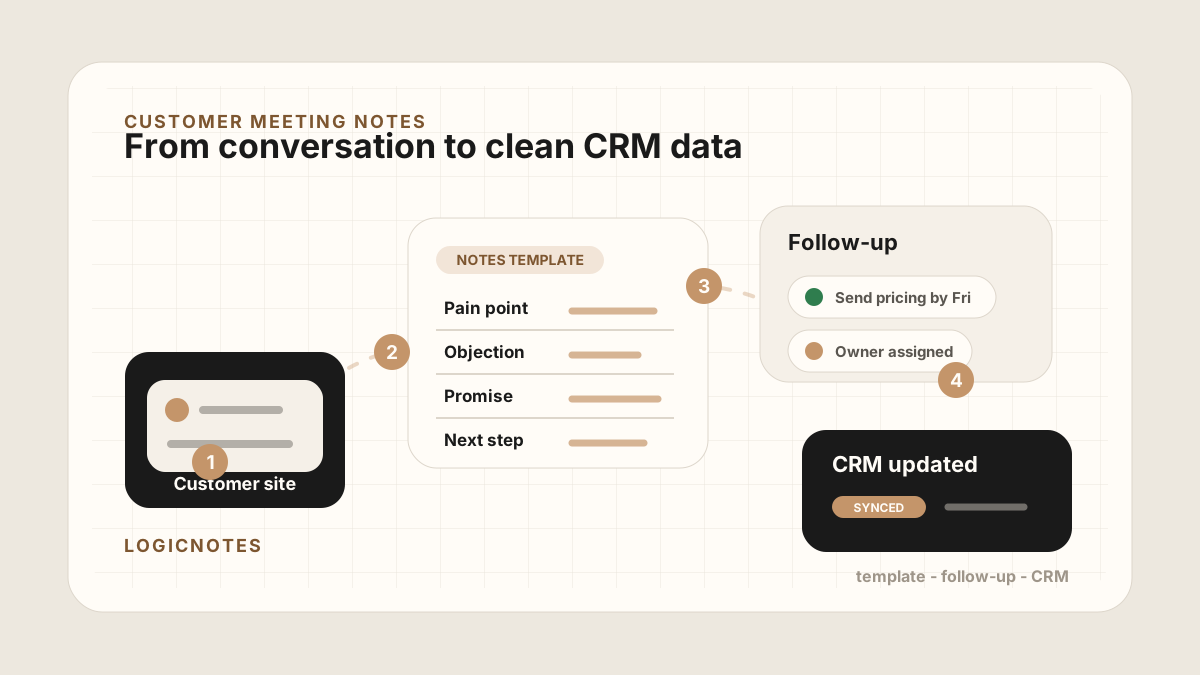
After the meeting, review the notes and turn the useful parts into follow-up.
LogicNotes in one paragraph.
LogicNotes is an iOS app for in-person meeting notes. It helps teams record customer conversations on iPhone, generate AI summaries and action items, and sync meeting notes to Salesforce, HubSpot, Zoho CRM, Dynamics 365, or Google Sheets.
No meeting bot joins the conversation. LogicNotes is built for face-to-face meetings where the useful output is follow-up, CRM context, and searchable meeting history.
Keep the details that move the deal forward.
Budget, neighborhoods, must-haves, deal breakers, and timing are easier to review.
Pricing, repairs, staging, paperwork, and next appointments become follow-up items.
Capture what clients liked, what worried them, and which questions need answers.
Review tasks, next steps, and CRM-ready context before the next client call.
Real estate agent questions.
How can real estate agents use LogicNotes?
Use LogicNotes after showings, listing appointments, buyer consultations, and seller meetings to review notes, action items, dates, and follow-up.
Can LogicNotes capture buyer preferences?
Yes. It can help structure buyer preferences, property feedback, objections, timing, and next steps from completed meeting notes.
Does LogicNotes replace a real estate CRM?
No. LogicNotes helps create clean meeting notes and follow-up context that can support CRM updates.
Should agents ask permission before recording?
Yes. Agents should follow the recording rules that apply to their meeting, market, brokerage, and client relationship.