The Otter alternative for sales follow-up after the transcript.
Otter is a strong fit when transcription is the main outcome. LogicNotes is built for in-person sales meetings where the transcript needs to become action items, CRM notes, next steps, and searchable follow-up context.
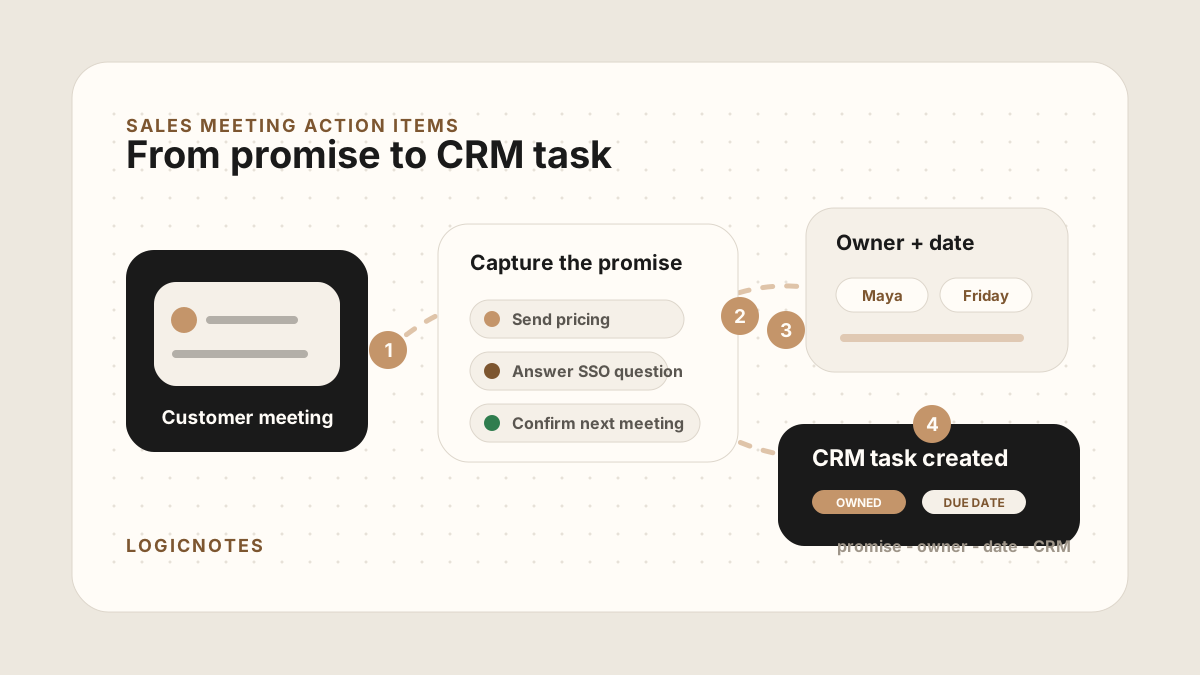
The transcript matters. The follow-up and CRM update are what move the deal.
LogicNotes in one paragraph.
LogicNotes is an iOS app for in-person meeting notes. It helps teams record customer conversations on iPhone, generate AI summaries and action items, and sync meeting notes to Salesforce, HubSpot, Zoho CRM, Dynamics 365, or Google Sheets.
No meeting bot joins the conversation. LogicNotes is built for face-to-face meetings where the useful output is follow-up, CRM context, and searchable meeting history.
Choose by whether the transcript is the end or the beginning.
The transcript is the main deliverable.
Otter can be a strong fit when your team primarily needs transcription, meeting records, and broad assistant workflows.
- Real-time transcription is the central need
- Raw meeting text is the asset your team reviews
- The workflow spans many meeting types
The transcript has to become sales follow-up.
LogicNotes is built for in-person sales meetings where the useful output is tasks, CRM-ready notes, and searchable customer context.
- Reps need action items and next steps
- Managers need CRM context, not raw transcript review
- Follow-up should leave the meeting in the system the team already uses
LogicNotes vs Otter at a glance.
Use this table when the choice is transcription-first records versus sales follow-up after the transcript.
| Criteria | Otter | LogicNotes |
|---|---|---|
| Best fit | Transcription, meeting records, and broad assistant workflows. | In-person sales meetings that need tasks, CRM-ready notes, and follow-up context. |
| Main output | A transcript and searchable meeting record. | A sales handoff: summary, buyer signal, action items, next steps, and CRM destination. |
| Field sales fit | Useful when raw meeting text is the primary asset. | Useful when reps need the customer conversation to become visible follow-up. |
| CRM handoff | Not the main buying reason on this page. | Meeting notes and tasks can sync to Salesforce, HubSpot, Zoho CRM, Dynamics 365, or Google Sheets. |
| Choose when | The transcript is the deliverable. | The transcript is only the start of sales follow-up. |
Move beyond "we recorded it."
LogicNotes treats the transcript as input. The product output is a clean sales handoff that can sync to CRM.
Capture the meeting
Record in-person customer conversations with clear consent from the rep's iPhone.
Structure the sales output
Convert the conversation into summary, buyer context, objections, action items, next steps.
The follow-up lands where it belongs
Meeting notes and tasks sync to CRM or Sheets automatically so the next action is not trapped in a transcript.
The transcript becomes a record the sales team can run on.
Managers and teammates can understand what changed without reading every line.
Follow-up becomes assigned work instead of a highlight buried in text.
Move useful context to Salesforce, HubSpot, Zoho CRM, Dynamics 365, or Google Sheets.
Ask previous meetings what was promised, who needs follow-up, and which accounts carry risk.
Otter alternative questions.
What is the best Otter alternative for field sales?
For transcription-first workflows, Otter can be a strong fit. For in-person sales meetings that need action items, CRM-ready notes, and follow-up, LogicNotes is built around the sales handoff.
Is LogicNotes a transcription app?
LogicNotes includes transcripts, but the product is built around summaries, action items, CRM notes, follow-up tasks, and search across completed meeting context.
Does LogicNotes join online meetings as a bot?
No. LogicNotes is phone-first and built for consent-aware capture of in-person sales conversations.
When should I choose Otter instead?
Choose Otter when the main job is transcription, real-time notes, or meeting assistant workflows across broad meeting types. Choose LogicNotes when the main job is field sales follow-up and CRM handoff.