About LogicNotes.
If you are checking what LogicNotes actually does, start here. This is the simple version: what the product is, who it helps, where notes can go, and where the safety lines are.
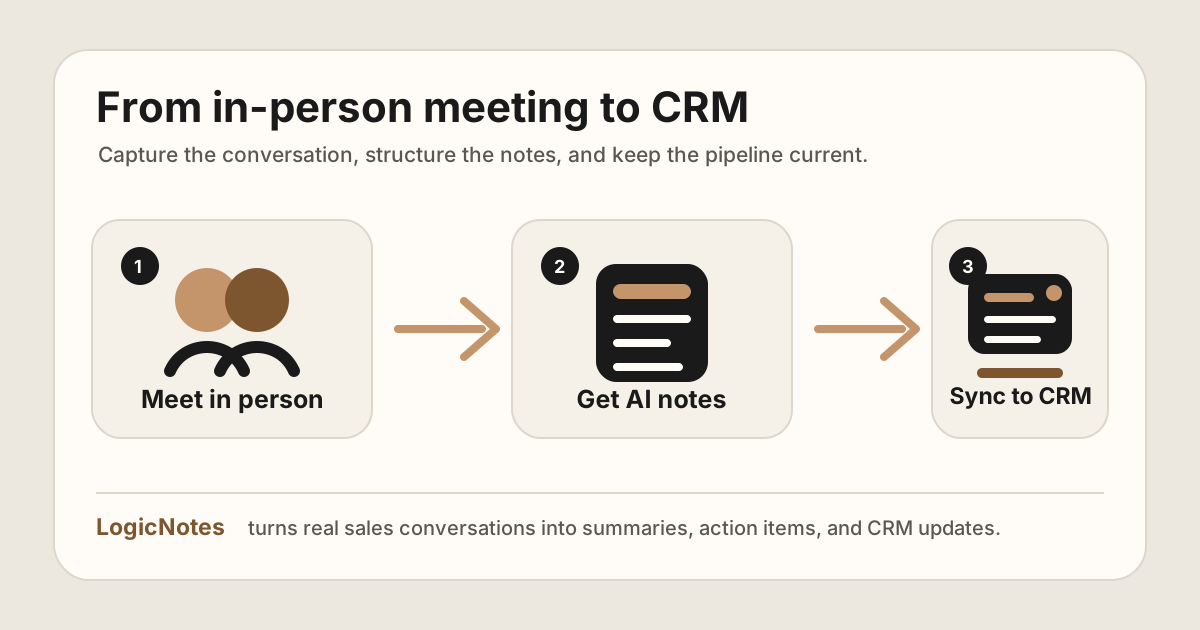
The core idea is simple: capture the customer conversation once, use the useful output, then keep the next step visible.
LogicNotes turns in-person meetings into useful follow-up.
LogicNotes records customer conversations on iPhone, creates AI summaries and action items, and syncs meeting notes to Salesforce, HubSpot, Zoho CRM, Dynamics 365, or Google Sheets.
The product in plain English.
It is built for people who meet customers in person and need the conversation to become clear notes, tasks, and follow-up.
No calendar bot joins the meeting. Users should follow the recording consent rules that apply to each conversation.
Summaries, action items, next steps, decisions, objections, and customer details are organized after the meeting.
Meeting notes and tasks can go to Salesforce, HubSpot, Zoho CRM, Dynamics 365, or Google Sheets.
Users can ask past meetings what was promised, which action items remain open, and which customer details matter now.
Compatible agents can retrieve completed notes, summaries, transcripts, and action items without changing CRM records.
Field sales reps, real estate agents, field engineers, financial advisors, founders, and sales leaders are the clearest fits.
LogicNotes states that meeting data is processed to provide the product and is not used to train AI models.
The free tier includes recording, AI summaries, and CRM sync. Paid plans add more recording hours.
Where LogicNotes sends information, and where it does not.
| Area | What LogicNotes does | Boundary |
|---|---|---|
| Meeting capture | Records or captures meeting context from the user's iPhone. | Users are responsible for consent and meeting rules. |
| AI notes | Creates summaries, action items, next steps, decisions, and follow-up context. | The app prepares meeting output that can sync to connected CRM destinations. |
| CRM destinations | Supports Salesforce, HubSpot, Zoho CRM, Dynamics 365, and Google Sheets. | CRM writes, record matching, and customer-sensitive details stay in the normal product workflows. |
| AI Search | Answers questions using completed LogicNotes meeting context. | It is for recall and prep, not live-meeting control. |
| MCP | Lets compatible agents retrieve completed meeting notes, summaries, transcripts, and action items. | Agents do not edit notes, change action items, or write directly to CRM through read-only access. |
Built by someone who lived the CRM notes problem.
LogicNotes is built by Sharveen Kumar, a B2B leader with 12+ years in marketing and demand generation across APAC who has managed sales and marketing teams at companies including American Express, LinkedIn, and The Trade Desk.
Across those teams, the same bottleneck kept appearing: CRM notes after customer meetings were thin, late, or missing. Pipeline forecasts were built on half-filled records, and data science teams building acquisition and retention models were missing the context that lived only in in-person conversations.
LogicNotes exists to close that gap. Field sales teams focus on the customer, and the phone turns the conversation into notes, summaries, and CRM-ready follow-up.
Plain answers about LogicNotes.
What is LogicNotes?
LogicNotes is an iOS app for in-person meeting notes. It records customer conversations on iPhone, creates AI summaries and action items, and syncs meeting notes to CRM or Google Sheets.
Who is LogicNotes for?
LogicNotes is built for people who meet customers in person, especially field sales reps, real estate agents, field engineers, financial advisors, founders, and sales leaders who need cleaner follow-up after meetings.
Which CRMs does LogicNotes support?
LogicNotes supports CRM sync workflows for Salesforce, HubSpot, Zoho CRM, Dynamics 365, and Google Sheets.
Does LogicNotes join meetings as a bot?
No. LogicNotes is phone-first and built for face-to-face meetings. Users should follow the recording consent rules that apply to each meeting.
What can LogicNotes AI Search answer?
AI Search helps users ask completed LogicNotes meetings what was discussed, what was promised, which customer details matter, and which meetings still need CRM follow-up.
Is LogicNotes MCP read-only?
Yes. LogicNotes MCP is positioned as read-only retrieval for completed meeting notes, summaries, transcripts, and action items. CRM writes and edits stay in the normal product workflows.
Is customer data used to train AI models?
No. LogicNotes states that customer data is processed to provide the product and is not used to train AI models.
Does LogicNotes have a free version?
Yes. LogicNotes has a free tier with recording, AI summaries, and CRM sync included. Paid Pro and Business plans add more recording hours.