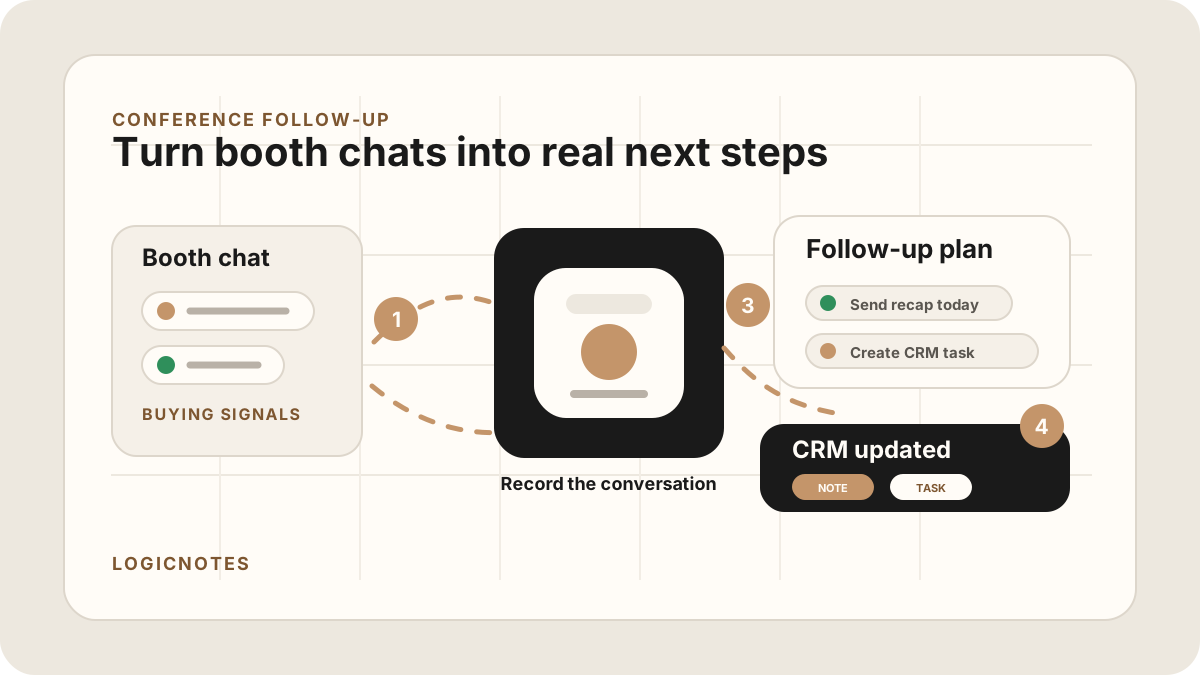
The hard part of conference selling is not starting conversations. It is remembering which conversations mattered after the badge scans, hallway chats, booth demos, dinners, coffee meetings, and quick intros all blur together.
A prospect says they want pricing after the event. Someone asks for an integration answer. A partner offers an introduction. A buyer gives you the real blocker in the last two minutes before they walk to another session. At the time, it feels impossible to forget. Two days later, the CRM says only "met at conference."
Good conference follow-up starts before the email. It starts with capturing the promise, the person, and the reason the conversation mattered.
For field sales teams, a conference is basically a compressed route day: dozens of short customer conversations, different levels of intent, and a narrow window to turn the best conversations into CRM tasks. The same field sales app CRM field map discipline applies here: capture the conversation, qualify the next step, and update the system before the details fade. It also belongs in the when event promises need cleanup before CRM sync.
The 2026 conference follow-up workflow should connect the event recap, lead priority, customer-facing email, CRM note, task owner, due date, and next meeting context. If any one of those steps is missing, the event creates noise instead of pipeline.
Quick Answer: How Should Sales Reps Follow Up After a Conference Meeting?
Sales reps should follow up after a conference meeting by capturing the specific conversation, lead temperature, buying role, customer problem, promised resource, next step, owner, due date, event source, CRM destination, sync status, and sync status before the event context fades. Hot conversations should get a same-day or next-day recap with one clear ask, while lower-intent contacts should move into a CRM task or nurture workflow with the reason they were interested.
- If the lead is hot: send a specific recap within 24 hours, attach the promised resource, name the next meeting or decision point, and create the CRM task.
- If the lead is warm: preserve the trigger, buying role, objection, and next useful touch so the follow-up does not become generic.
- If the event created many contacts: prioritize by intent, account fit, urgency, promised next step, owner, due date, and sync status.
Why Conference Follow-Up Fails
Conference meetings are high-context and low-structure. That is a rough combination for sales follow-up. The conversation might be valuable, but it often happens without a calendar invite, clean attendee list, formal agenda, or quiet room.
The usual failure mode is not laziness. It is compression. Ten conversations become one memory. Five promised next steps become a vague task. The strongest buyer signal gets buried under a stack of business cards and badge scans.
Strong post-event follow-up usually has two parts. First, segment the contact by intent so hot, warm, and casual conversations do not receive the same message. Second, send a specific recap that documents the promise, action item, and next step while the conversation is still recognizable.
- The meeting is spontaneous. The best conversations often happen outside scheduled slots.
- The contact record is incomplete. A badge scan may give you a name and email, but not the problem, urgency, or next step.
- The follow-up window is short. Everyone goes home to a crowded inbox. Generic "great to meet you" emails disappear quickly.
- The CRM update is delayed. If the details wait until the flight home, the CRM gets a summary of your memory, not the meeting.
What to Capture Before You Forget
You do not need a perfect transcript for every conference interaction. You need enough detail to make the next touch feel specific and to keep the CRM useful.
| Capture this | Why it matters | Example |
|---|---|---|
| The trigger | Explains why the person was interested now. | Opening two new territories this quarter. |
| The promised next step | Turns the recap into action instead of politeness. | Send pricing and a two-minute product video by Thursday. |
| The buying role | Prevents treating every contact like the decision-maker. | Influencer, but CFO signs off. |
| The objection | Shapes the follow-up email and next meeting agenda. | Concerned implementation will distract the sales team. |
| The personal detail | Makes the next message feel human without being fake. | Met after the field sales panel; asked about team onboarding. |
| Lead temperature | Helps you choose same-day, next-day, or nurture follow-up. | Hot: buying this quarter. Warm: researching. Cold: casual booth visitor. |
| Event note | Keeps the recap traceable when the CRM is reviewed later. | Voice recap after booth demo; no-bot phone note after dinner conversation. |
If the conversation is too quick for full notes, capture a short phone recap immediately after it. The no-bot AI note taker workflow is useful for that kind of trade-show or hallway context because there may be no online meeting for a bot to join.
How to Prioritize Conference Leads After the Event
Most event follow-up gets worse when every contact receives the same priority. A serious buyer, a partner intro, a customer dinner conversation, and a casual booth scan all need different follow-up.
| Lead type | Follow-up timing | CRM task |
|---|---|---|
| Hot buyer | Same day or within 24 hours. | Send promised asset, request demo/review, assign owner, and set a near-term due date. |
| Warm account | Within 24 to 48 hours. | Send useful recap, relevant resource, and a clear ask tied to their stated problem. |
| Partner or referral | Within 48 hours while the intro is fresh. | Confirm the intro, define mutual next step, and capture who owns the relationship. |
| Customer or expansion contact | Same day if there was risk or urgency; otherwise next business day. | Log account context, expansion signal, renewal risk, or promised internal handoff. |
| Casual booth visitor | After higher-intent contacts are handled. | Add event context and route to nurture unless there was a specific requested next step. |
The 24-Hour Conference Follow-Up Workflow
The goal is speed with specificity. You do not need to write a perfect essay after every event conversation. You need to capture the useful context, send the right message, and create the task that keeps the deal moving.
Use this workflow
For hot leads, speed usually matters more than polish: send the promised item while the meeting is still fresh. For warm leads, use a useful resource or recap tied to their stated problem. For casual contacts, log the context so later nurturing does not pretend the conversation was deeper than it was.
Conference Follow-Up Email Template
The best conference follow-up email is short, specific, and easy to answer. It should prove you remember the conversation and make the next step obvious.
Simple template
Subject: Great meeting you at [event] - next step on [specific topic]
Hi [Name],
Good meeting you at [event]. I liked your point about [specific problem, goal, or detail from the conversation].
As promised, here is [resource, pricing, answer, intro, case study, or next step]. Based on what you shared, the part worth looking at first is [specific recommendation].
Would it be useful to set up [short call/demo/review] next week to go through [specific agenda]?
Best,
[Your name]
The template works because it avoids the most common conference email: "Great meeting you, let me know if you want to chat." That message gives the buyer work to do. Your follow-up should make the useful next step easier.
Conference Follow-Up CRM Field Map
Conference follow-up breaks when the email and the CRM do not match. If the email mentions a pricing promise but the CRM task only says "check in," the deal context is already leaking.
For the task side of the workflow, see how to capture action items from sales meetings and how to turn meeting notes into CRM tasks. For the CRM hygiene side, see the CRM hygiene checklist for sales teams.
After Conference Follow-Up Sync: Keep the CRM Clean
Modern AI note tools, including LogicNotes, sync conference meeting notes to the CRM automatically. There is no approval screen between the meeting and the record, and that is the point: the rep stays out of data entry. The trust layer moves into the CRM itself, as a quick after-sync habit instead of a pre-sync gate.
After a synced note lands, a two-minute pass covers what matters: confirm the note attached to the right account or contact, make sure the next step exists as a real task with a date, and fix anything that looks off by editing the note or task directly in Salesforce, HubSpot, Zoho CRM, Dynamics 365, or Google Sheets. Edits made in the CRM are visible to managers and teammates right away, so the record stays trustworthy without slowing down the field day.
Conference Follow-Up to CRM Task Handoff
The CRM task is the bridge between a good event email and actual pipeline movement. Every serious conference conversation should produce follow-up tasks with an owner, due date, destination record, and reason.
Use this task handoff format
If your event workflow runs through a specific CRM, use the Salesforce meeting-notes sync workflow or the HubSpot meeting-notes sync workflow. If the team is still using a spreadsheet after events, the same fields should land in the Google Sheets CRM template. For reducing duplicate post-event typing, pair this with how to reduce CRM admin for sales reps.
Common Conference Follow-Up Mistakes
Most mistakes come from treating all event conversations the same. The real leverage is in matching the follow-up to the strength and context of the conversation.
- Sending the same message to everyone. A serious buyer and a casual booth visitor should not receive the same follow-up.
- Waiting until after the trip. The longer you wait, the more your message sounds like a mail merge.
- Forgetting the promised asset. If you promised pricing, a case study, a deck, or an intro, that should be the core of the email.
- Creating vague CRM tasks. "Follow up after conference" does not say what to do, why it matters, or when it is due.
- Ignoring consent when recording. If you record an in-person conversation, make consent clear and follow the rules that apply to the location.
Field Sales Event Follow-Up Workflow
Conference follow-up works best when it feels like a field-sales workflow, not a marketing list upload. Each meaningful conversation needs capture, qualification, task ownership, and a CRM destination.
Use this after each meaningful event conversation
This connects naturally to mobile CRM for field sales reps, sales route planning, the meeting follow-up template, and an outside sales app workflow. Pair it with visit tracking when managers need the event-day record to explain what happened after each booth visit, dinner, or field event conversation. The event follow-up should make the next sales action easier, not create another admin pile.
Where LogicNotes Fits
LogicNotes is built for sales people who have real-world conversations and need the CRM to reflect what actually happened. After a conference meeting, record the conversation or your immediate recap on your iPhone with consent where needed, then turn it into a clean summary, action items, and CRM-ready context.
That makes it especially useful after conferences, trade shows, field events, customer dinners, and partner meetings where the next step depends on details that are easy to forget. If the team is comparing tools for this job, the AI meeting notes apps guide for in-person sales teams shows how phone-first capture, action items, CRM sync, and field follow-up fit together.
Conference Follow-Up FAQ
How soon should you follow up after a conference meeting?
For a serious conference conversation, send the first follow-up within 24 hours when possible. Warm or lower-intent contacts can wait a little longer, but the first message should still reference the specific conversation while it is fresh.
What should a conference follow-up email include?
A conference follow-up email should include the event context, one specific thing discussed, the problem or goal the person shared, any promised resource, and one clear next step.
What is a good conference follow-up template?
A good conference follow-up template references the event, names the specific conversation, repeats the prospect's problem or goal, includes the promised resource, and asks for one clear next step such as a demo, review, introduction, or answer by a date.
How do sales reps avoid generic conference follow-up?
Sales reps avoid generic follow-up by capturing the trigger, buying role, objection, promised next step, and lead temperature immediately after the conversation, then using those details in the recap.
What should go into the CRM after a conference meeting?
Update the CRM with the event source, conversation summary, lead temperature, buying role, promised asset, next task, owner, due date, and next meeting context.
How should conference leads be prioritized after the event?
Prioritize leads by intent, buying role, urgency, promised next step, account fit, and whether the contact requested a specific follow-up. Hot leads should become dated CRM tasks immediately, while casual contacts can move into a nurture list.
How do you turn conference follow-up into CRM tasks?
Turn every promise from the event into a CRM task with owner, due date, related contact or account, event name, promised asset, lead temperature, and next meeting context.
Can AI notes help with conference follow-up?
Yes. Phone-first AI notes can capture a quick in-person recap, turn the conversation into a summary and action items, and help let the notes and tasks sync automatically to CRM before the event context fades.
Can conference follow-up sync to Salesforce or HubSpot?
Yes. A structured conference recap can sync to Salesforce or HubSpot as a note, activity, or task when it includes the contact, company, lead source, meeting summary, promised next step, owner, due date, and follow-up status.
Do not let conference follow-up live in your memory.
LogicNotes turns in-person sales conversations into summaries, action items, and CRM updates while the details are still fresh.
Download LogicNotes for iOS