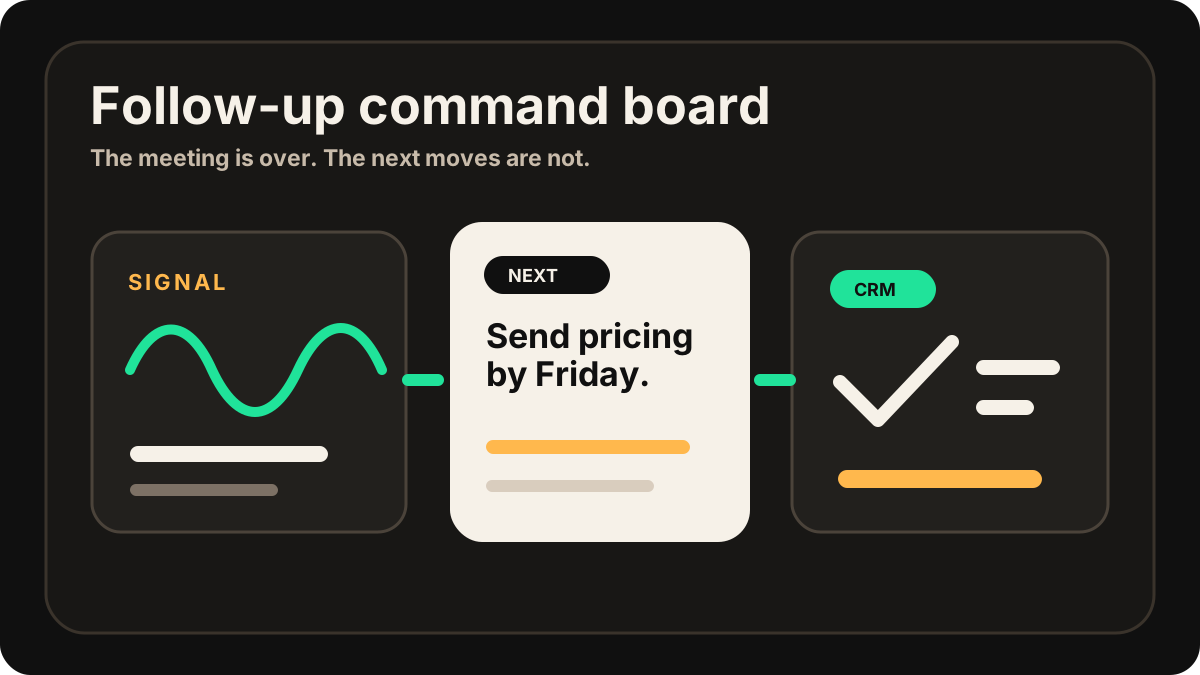
A sales person leaves a customer meeting feeling good. The conversation was specific. The customer asked smart questions. There was a clear next step. Everyone said the same thing at the end: "Let us follow up next week."
Then the follow-up gets delayed. The email is too vague. The CRM task is missing. The customer forgets the details. A warm meeting turns into another open loop.
The useful 2026 follow-up workflow is not just an email template. It is a handoff system: capture the meeting, write the customer recap, create the follow-up task, map the CRM fields, sync the right Salesforce, HubSpot, or Google Sheets record, and make the next action visible before the rep moves on.
For teams comparing a sales rep app, outside sales app, or this template should sit inside the same field-sales workflow as visit tracking, CRM field maps, after-sync hygienes, follow-up tasks, and CRM sync.
The best follow-up does not sound impressive. It makes the next action impossible to misunderstand.
Quick Answer: What Follow-Up Template Should Sales Reps Send After an In-Person Meeting?
Sales reps should send a short same-day follow-up that thanks the customer, recaps the customer's stated goal or problem, confirms the key discussion point, names each promised next step, assigns the owner, gives the due date, and confirms the next meeting or decision point. The same details should become CRM notes and tasks with account, contact, opportunity, CRM destination, sync status, Salesforce or HubSpot task status, Google Sheets row, and sync status.
- If the customer needs clarity: prioritize the customer's words, the agreed next step, the owner, the date, and why the action matters.
- If the sales team needs handoff: prioritize buyer context, objection or risk, follow-up task, CRM field map, related record, and sync status.
- If reps lose momentum: prioritize same-day capture, draft review, task creation, due-date reminders, and sync-error handling before the next customer visit.
Why Follow-Up Fails After In-Person Sales Calls
In-person sales calls create more context than most reps can comfortably hold in their head. There are side comments, objections, buying signals, names, dates, and promises made while everyone is standing up, packing bags, or walking to the door.
The failure usually happens after the meeting. The rep remembers the general feeling, but not the exact commitment. The customer remembers the conversation, but not the next step. The CRM shows that a meeting happened, but not what should happen next.
A strong follow-up fixes that. It turns the meeting into a written record, confirms the customer's words back to them, and creates a clear path to the next sales action.
It also gives the customer something easy to forward. That matters when the person you met needs to bring a manager, technical buyer, or operations lead into the next conversation.
Most follow-up email advice stops at the inbox. For field sales reps, the real workflow has one more step: the same meeting details must reach the CRM before the next visit. If that handoff breaks, even a good email leaves the pipeline messy.
This is why the follow-up template should connect to CRM admin reduction, not create another place to type. The buyer gets the polished recap. The team gets the structured note, owner, due date, and next task.
The Meeting Follow-Up Template
Use this after a customer visit, field sales meeting, conference conversation, product demo, partner meeting, or any in-person sales call where a next step matters.
If follow-up is breaking because the tools between the meeting and CRM are disconnected, start with the field sales app guide and tighten the mobile stack around the rep's actual day. Reps who update accounts from the road should also compare the mobile CRM workflow, because the follow-up email and CRM task should come from the same meeting record.
Copyable follow-up format
Subject: Great meeting today, [Name]

Hi [Name],

Thanks for taking the time to meet today.

My quick recap:
- You are trying to [customer problem or goal].
- The main concern we discussed was [objection or risk].
- The next useful step is [specific next step].

I will [your promised action] by [date].

Could you please [customer action] by [date], so we can [outcome]?

Best,
[Your name]
Three Follow-Up Examples You Can Use
The structure stays the same, but the wording should change depending on the meeting. A conference introduction needs a lighter touch. A serious buyer meeting needs detail. A stalled deal needs clarity.
| Meeting type | Follow-up angle | Example line |
|---|---|---|
| Customer visit | Confirm the pain and next step. | "You mentioned the team is losing time updating CRM notes after site visits. I will send the workflow we discussed by Thursday." |
| Conference meeting | Reconnect the person to the conversation. | "Great speaking at the event today. You mentioned your field team needs a simpler way to capture follow-ups after customer meetings." |
| Late-stage sales call | Make owners and dates explicit. | "I will send pricing and security details by Wednesday. Could you confirm the RevOps review owner by Friday?" |
Follow-Up Templates by Meeting Outcome
The best template depends on what changed in the meeting. Use the outcome to choose the next sentence, the CRM task, and the follow-up owner.
| Meeting outcome | Follow-up focus | CRM task to create |
|---|---|---|
| New pain confirmed | Repeat the customer's problem in their words and connect it to the promised next step. | Send relevant workflow, case study, or product note by the agreed date. |
| Objection surfaced | Acknowledge the objection without overselling, then state how you will answer it. | Send security, pricing, implementation, legal, or integration answer with owner and due date. |
| New stakeholder identified | Confirm who should join the next discussion and why their input matters. | Ask for intro, schedule next meeting, or add stakeholder to the CRM record. |
| Next meeting agreed | Confirm the agenda, attendees, and decision needed from the next conversation. | Create meeting prep task, owner, agenda note, and reminder. |
| Customer went quiet after the visit | Use a short, specific recap instead of a vague check-in. | Send concise recap and schedule one follow-up attempt with a clear ask. |
When Should You Send the Follow-Up?
The best time is usually the same day. Fast follow-up signals that the meeting mattered, and it preserves the details before the customer gets pulled into the next problem. Current sales follow-up guidance across CRM and sales tools keeps converging on the same point: prompt, specific, context-rich follow-up beats a generic "checking in" note.
That does not mean the message should be rushed. A vague email sent in ten minutes is worse than a useful email sent two hours later. The target is simple: send it while the customer still remembers the conversation and before the next step loses momentum.
| Timing | Use it when | What to include |
|---|---|---|
| Within 1 hour | The meeting ended with a clear action or buyer urgency. | A short recap, your promised item, and the next meeting or deadline. |
| Same day | Most normal sales meetings and customer visits. | Summary, objections, owners, and specific next step. |
| Next morning | The meeting was late, complex, or needs a thoughtful recap. | A cleaner summary with decisions, open questions, and dates. |
What Should Go Into the CRM?
The follow-up email is for the customer. The CRM update is for your team. They should match, but they do not need to be identical.
The CRM should include the meeting summary, the customer's problem, the objection that came up, the promised follow-up, task owners, due dates, and the related contact or opportunity. If the meeting changed your view of the deal, add that note separately instead of burying it in the email recap.
If the rep captured the meeting on iPhone, connect this step to the iPhone recording workflow and the in-person sales notes workflow. A transcript is raw material; CRM needs the structured version.
CRM-ready follow-up fields
Follow-Up to CRM Field Map
A good follow-up template has two audiences. The customer needs a clear recap and a next step. The sales team needs a CRM record that can survive handoff, pipeline review, and next-week memory loss. A CRM field map sends each follow-up detail to the right destination instead of pasting the same paragraph everywhere.
| Follow-up detail | Customer email | CRM note or task |
|---|---|---|
| Customer goal | One sentence showing you understood the outcome they want. | Account or deal context for future sales conversations. |
| Objection or risk | Acknowledge it only if useful and customer-safe. | Internal risk note, manager context, or deal-health signal. |
| Rep commitment | State what you will send and by when. | Task owner, due date, priority, related record, and status. |
| Customer action | Ask for one specific action, not a vague reply. | Reminder task to check whether the buyer completed the action. |
| Next meeting | Confirm agenda, timing, and attendees. | Meeting prep task, stakeholder note, and calendar reminder. |
| CRM sync status | Leave it out of the customer email. | Needs review, sent, waiting, synced to Salesforce, synced to HubSpot, or no action needed. |
| Sync status | Leave review notes internal unless they affect the customer action. | After-sync hygiene, manager review, sync-ready flag, or spreadsheet review column. |
CRM Task Handoff After the Follow-Up
A follow-up email is only half done if the CRM is still empty. The handoff should turn every promise into a task and every buyer signal into context another teammate can use.
Use this CRM task format
Task title: [Verb] [specific item] for [customer/account]
Owner: [rep or teammate]
Due date: [date]
Related record: [contact, company, opportunity, deal, or Sheet row]
Context: [why this task exists]
Customer-facing promise: [exact commitment from the follow-up email]
Status: Not started / Waiting / Sent / Done
For more task structure, use sales meeting notes to CRM tasks. For CRM-specific destinations, compare the Salesforce meeting-notes sync workflow and HubSpot meeting-notes sync workflow. If the team is using a spreadsheet, the same owner, due-date, and review-status fields belong in the Google Sheets CRM workflow.
Check the CRM After You Send and Sync
Modern AI note tools, including LogicNotes, sync follow-up notes to the CRM automatically. There is no approval screen between the meeting and the record, and that is the point: the rep stays out of data entry. The trust layer moves into the CRM itself, as a quick after-sync habit instead of a pre-sync gate.
After a synced note lands, a two-minute pass covers what matters: confirm the note attached to the right account or contact, make sure the next step exists as a real task with a date, and fix anything that looks off by editing the note or task directly in Salesforce, HubSpot, Zoho CRM, Dynamics 365, or Google Sheets. Edits made in the CRM are visible to managers and teammates right away, so the record stays trustworthy without slowing down the field day.
Follow-Up Mistakes to Avoid
The fastest way to weaken a good meeting is to send a follow-up that could have been written after any meeting. The customer should be able to read it and think, "Yes, that is exactly what we discussed."
Specificity matters because it creates trust. It also protects the sales person. If the customer later forgets what was agreed, the follow-up becomes the shared record of the conversation.
| Weak follow-up | Better version | Why it works |
|---|---|---|
| Thanks for the meeting. I will send more information soon. | Thanks for meeting today. I will send the CRM sync overview and pricing options by Thursday. | The customer knows what is coming and when. |
| Let me know what you think. | Could you confirm whether RevOps or Sales Ops should own the pilot review by Friday? | The ask is specific enough to answer. |
| Great chatting. | You mentioned that field reps are waiting until Friday to enter notes, which is causing missed follow-ups. | It reflects the customer's actual problem, not just the meeting mood. |
Follow-Up Checklist Before You Send
- Use the customer's actual problem. Do not reduce the meeting to "interested" or "good fit."
- Include one clear next step. If there are five next steps, make the first one obvious.
- Name owners and dates. "I will send pricing by Thursday" is better than "I will follow up soon."
- Capture objections honestly. If security, pricing, timing, or implementation came up, reflect it clearly.
- Update the CRM at the same time. The email should not become the only record of the meeting.
- Keep recording consent-aware. If you record in-person meetings, make sure everyone knows and agrees.
A Field Sales Follow-Up Workflow
For a field sales rep, follow-up often happens between customer stops. The workflow has to be short enough to repeat after every visit, not just after the biggest meetings.
Use this four-step handoff
If reps plan visits in batches, connect follow-up to the sales route planning workflow. The route gets the rep to the meeting; the follow-up system makes sure the meeting creates pipeline movement. If the team wants capture without a video-call bot, pair this with the AI note taker without a meeting bot workflow.
How LogicNotes Helps
LogicNotes is built for sales people who have real in-person conversations and need those meetings to become useful follow-up. Record the sales call on your iPhone, get a clean AI summary and action items, then let the notes and tasks sync automatically to your CRM or Google Sheets automatically.
Instead of writing the recap from memory, you can start from the meeting details that actually happened: customer need, objections, promised follow-ups, owners, and dates. That also keeps the follow-up connected to the broader AI meeting notes apps for in-person sales workflow.
Meeting Follow-Up FAQ
What should a sales meeting follow-up include?
A sales meeting follow-up should include a short thank-you, the customer's actual problem or goal, the key point discussed, the promised next step, the owner, and the due date. For field sales, the same details should also become CRM notes and tasks.
What is a simple follow-up template after an in-person sales call?
Use a short template with a thank-you, one sentence recapping the customer's goal, one sentence naming the key point or objection, your promised action with a due date, the buyer's next action if needed, and the next meeting or decision point.
How soon should you follow up after an in-person sales meeting?
Same day is usually best, especially when the meeting had a clear action item or buyer urgency. If the meeting was late or complex, a thoughtful recap the next morning can still work, but the CRM task should be captured while the details are fresh.
How do you turn a meeting follow-up into CRM tasks?
Turn each promise in the follow-up into a CRM task with an owner, due date, related contact or account, context from the meeting, sync status, and a clear status. The email recap and CRM task should agree on what happens next.
What should a follow-up template include for CRM?
A CRM-ready follow-up template should include the customer recap, buyer problem, objection or risk, promised action, owner, due date, related contact, account or deal, CRM field map, and sync status. The customer-facing email can stay concise while the CRM note keeps the internal context.
Should follow-up emails and CRM notes match?
They should match on the facts, but they do not need to be identical. The customer email should be concise and useful to the buyer. The CRM note should include the internal deal context, next task, owner, due date, and any risk or objection that matters to the team.
Should a sales follow-up create Salesforce or HubSpot tasks?
Yes, if the meeting created a real commitment. Pricing, demos, security answers, technical follow-ups, and next meeting prep should become Salesforce or HubSpot tasks with owners, due dates, related records, sync status, and status.
How can field sales reps follow up from the road?
Field sales reps should capture the meeting or recap on mobile, let the CRM notes and tasks sync automatically, send a concise customer recap, and give the record a quick check before the next customer visit. Sensitive claims, unclear owners, and deal changes deserve a careful look in the CRM.
Can AI meeting notes write a sales follow-up email?
AI meeting notes can draft a useful follow-up when the notes include the customer's problem, objection, promised next step, owners, and due dates. The rep should still review tone, accuracy, pricing, and anything sensitive before sending.
How should you follow up when the customer promised an action?
Confirm the customer action in the recap, explain why it matters, and give a specific date or checkpoint. Add a CRM task to remind the rep to check whether the customer completed the action before the next meeting.
What should you avoid in a sales meeting follow-up?
Avoid generic check-ins, vague next steps, missing due dates, inaccurate recaps, unapproved claims, and follow-up emails that do not create a matching CRM note or task.
Follow up while the meeting is still fresh.
If your problem is turning in-person sales meetings into clear follow-up and CRM-ready tasks, LogicNotes was built for that job.
Download LogicNotes for iOS