You know the meeting went well. The prospect opened up. They told you what was broken, who else cared, what budget might exist, and why last year's attempt failed. You walked out with momentum.
Then the next meeting starts. By 6pm, the sharp details have turned into vibes. You remember the company, the person, and maybe the follow-up. The CRM gets a two-line note that says, "Good discussion. Send deck." A week later, you are trying to revive the conversation with half the context missing.
This is the quiet problem with in-person sales meetings. The best information is shared live, but the system of record is updated later, usually when the rep is tired and already behind. For field reps, this is part of the broader field sales app problem: the route, the meeting, the notes, and the CRM update have to stay connected.
The job is not to write beautiful notes. The job is to preserve the parts of the conversation that help you follow up, qualify the deal, and keep the CRM useful.
Quick Answer: How Should Sales Reps Take Notes After an In-Person Meeting?
Sales reps should capture in-person meeting notes immediately after the conversation, then structure the note into meeting outcome, buyer problem, stakeholders, objections or risks, buying signals, promised follow-up, action items, owners, due dates, related account or opportunity, CRM destination, sync status, and sync status. The useful note is not a transcript. It is the reviewed summary, CRM task, Salesforce or HubSpot update, Google Sheets row, and follow-up context that keeps the next sales action clear.
- If details fade quickly: record or type a two-minute recap before the next stop, with the customer problem, exact promise, owner, and date.
- If CRM updates are inconsistent: use a field map for account, contact, outcome, next step, task owner, due date, objection, and sync status.
- If follow-up gets delayed: extract every promised action into a CRM task or sheet row before the meeting becomes end-of-day admin.
Why notes fail after good meetings
Most sales note-taking systems are built for the wrong moment. They assume you are sitting at a laptop, typing while someone talks, with time after the call to clean everything up. That is not how founder-led sales or field sales works.
In person, you are reading the room. You are handling interruptions. You are walking between conference booths, client offices, coffee tables, and taxis. The notes have to survive motion, and the mobile CRM workflow has to accept useful context quickly.
The failure usually comes from three places:
- The notes are too raw. A transcript or messy bullet list is better than nothing, but it does not tell you what changed in the deal.
- The follow-ups are separated from the context. You know you owe something, but not why it mattered or what the prospect asked for.
- The CRM update happens too late. By the time the rep opens HubSpot, Salesforce, Zoho CRM, Dynamics 365, or a Google Sheet, the useful details are gone.
Best In-Person Sales Notes Workflow by Use Case
The right notes workflow depends on the meeting type. A founder-led discovery meeting, a route-day customer visit, and a conference conversation all need different levels of detail. The common rule is that every note should lead to a follow-up, a CRM update, or a decision to stop spending time on the opportunity.
| Use case | Capture first | Best next workflow |
|---|---|---|
| Field rep leaving a customer site | Visit outcome, buyer problem, stakeholders, objections, promises, and next stop risk. | Create a sales visit note, sync CRM, and create the follow-up task before the next route stop. |
| Founder-led sales meeting | Decision process, urgency, budget signal, exact customer language, and promised proof. | Turn the meeting into a short CRM note plus a specific follow-up email tied to the buyer's words. |
| Conference or trade-show conversation | Lead source, context, buying role, why they stopped, and the next reason to continue. | Use a fast conference follow-up workflow and avoid vague post-event lists. |
| Manager-reviewed field meeting | Outcome, qualification status, action items, blockers, and CRM completeness. | Use a sales call report template so managers can see what happened and what comes next. |
| CRM-heavy account update | Changed fields, new stakeholders, opportunity stage, close-date confidence, and task ownership. | Convert the note into CRM tasks and account context with the meeting-notes-to-CRM-tasks workflow. |
In-Person Sales Notes by Meeting Type
Different meetings create different CRM evidence. A discovery note should not look exactly like a renewal-risk note, and a route-day visit should not be treated like a scheduled demo. Use the meeting type to decide what deserves attention before the rep opens the next account, starts driving, or jumps into the next customer conversation.
| Meeting type | What to capture | What it should create next |
|---|---|---|
| Discovery or first customer meeting | Trigger, pain, current workflow, buying role, stakeholders, urgency, and exact customer language. | Account/contact note, qualification update, next meeting task, and a follow-up email tied to the buyer's stated problem. |
| Product demo or solution discussion | Use cases, feature reactions, technical questions, objections, proof requested, and implementation constraints. | Opportunity note, objection list, requested proof, owner, due date, and the next step on the deal. |
| Pricing or proposal follow-up | Decision criteria, procurement steps, budget signal, timeline, buying committee, and approval blockers. | Stage confidence, close-date confidence, proposal follow-up task, and manager-visible risk notes. |
| Renewal, expansion, or account-risk meeting | Adoption signals, dissatisfaction, champion strength, missing stakeholders, expansion trigger, and renewal risk. | Account health note, customer-success handoff, renewal task, expansion note, or risk escalation. |
| Conference, event, or route-day visit | Why the conversation happened, lead quality, visit outcome, promised resource, nearby account context, and follow-up timing. | Lead/deal record, in-person follow-up, visit recap, and route-day task list. |
If the meeting does not clearly produce a next action, field update, or disqualification reason, the note is probably still too vague. Pair this structure with a customer meeting notes template when the team needs a repeatable format across founders, account executives, and field reps.
What to capture in an in-person sales meeting
A good sales note does not need every sentence. It needs the parts that will change what you do next. This is the same standard used in a strong CRM hygiene checklist: preserve the details that make the next action obvious.
| Capture this | Why it matters | Example |
|---|---|---|
| Current situation | Shows the real business context, not just the stated need. | "Team has doubled, but CRM notes are still optional." |
| Pain and consequence | Separates curiosity from urgency. | "Missed renewal risk because meeting notes never reached CS." |
| Objections | Gives you the next sales conversation. | "Concerned reps will forget to record after meetings." |
| Decision process | Prevents wishful forecasting. | "VP Sales can approve pilot, security reviews vendor list." |
| Follow-ups | Turns the meeting into movement. | "Send HubSpot sync walkthrough by Friday." |
| CRM fields | Keeps the pipeline honest. | "Stage: Discovery complete. Next step: pilot proposal." |
The in-person sales meeting note template
Use a template that maps directly into how sales teams work. The point is not to create a diary. The point is to make the next action obvious.
- Meeting context: account, attendees, date, location, meeting type, and whether this was planned or opportunistic.
- One-line summary: the plain-English version of what happened.
- Key problems: what the buyer said is broken, expensive, slow, risky, or annoying.
- Business impact: revenue risk, time wasted, customer experience, compliance, team productivity, or founder time.
- Objections and open questions: the things that could stop the deal or need proof.
- Action items: owner, task, due date, and promised deliverable.
- Follow-up reason: why the promised next step matters to the buyer, not just what you owe them.
- CRM update: stage, next step, close date confidence, notes for account/contact/opportunity, and follow-up task.
If you only have two minutes, fill out the one-line summary, action items, objections, and CRM update. Those four fields save the most pain later.
The 10-minute workflow after the meeting
The best workflow is the one you can do while walking out of the building. If it requires a clean desk and a quiet hour, it will not happen consistently. On route-heavy days, the sales route planning workflow should leave space for this post-meeting capture step.
Minute 0-2: record the raw memory
Immediately capture anything that will be hard to reconstruct later: names, promises, objections, exact phrases, and emotional tone. If you recorded the conversation with permission where required, this step becomes much easier because the raw material is already there.
Minute 2-5: turn memory into structure
Do not polish. Sort the conversation into summary, problems, objections, action items, and CRM updates. The structure matters more than the prose.
Minute 5-8: write the follow-up
A good follow-up proves you listened. Mention the specific problem, the agreed next step, and the promised date. Avoid the generic "great meeting today" note unless you want to sound like everyone else.
Minute 8-10: update the CRM
Add the note, create the task, update the next step, and make sure the right contact or opportunity owns the context. This is where deals become manageable instead of memory-dependent. It is also where teams can reduce CRM admin for sales reps by capturing once and syncing the useful fields automatically.
What belongs in the CRM
Your CRM does not need a transcript of the entire conversation. It needs the parts that help someone else understand what happened and what should happen next.
For a founder, that someone else might be future you. For a sales team, it might be the manager, account executive, customer success manager, or marketing team trying to understand why deals move. This matters because the biggest field sales conversion leaks often happen after the meeting, when follow-up context disappears.
| CRM destination | Best content |
|---|---|
| Contact note | Personal context, role, preferences, relationship details, and conversation summary. |
| Company or account note | Business context, pain, stakeholders, current tools, and account-level risks. |
| Opportunity or deal | Stage movement, next step, timeline, objections, budget, buying process, and forecast confidence. |
| Task | Specific promised follow-up with owner and due date. |
| Google Sheets | Lightweight pipeline tracking, founder-led sales logs, conference lead lists, or quick exports. |
In-Person Sales Meeting Notes CRM Field Map
Field mapping is where note quality turns into CRM hygiene. If a rep captures the same kind of update every time, Salesforce, HubSpot, or Google Sheets can accept the useful fields without asking the rep to rewrite the meeting later.
| CRM field | Where it belongs | How to write it |
|---|---|---|
| Account and contact context | Salesforce account/contact, HubSpot company/contact, or Google Sheets account/contact columns. | Confirm who attended, what role they play, and whether a new stakeholder should be added. |
| Meeting type and outcome | Activity record, timeline note, visit log, or sales call report. | Name the meeting type and outcome plainly: discovery completed, demo requested, proposal reviewed, renewal risk found. |
| Summary and buyer signal | Opportunity/deal note, account note, or pipeline row. | Write what changed because of the meeting, not a neutral play-by-play of everything said. |
| Action item | CRM task, HubSpot task, Salesforce activity, or follow-up column in Sheets. | Use a specific verb, owner, due date, and buyer reason so the task can be executed without rereading the whole note. |
| Objection or risk | Opportunity risk field, manager review note, or account health update. | Capture the blocker, who raised it, and what evidence or follow-up is needed to answer it. |
| CRM sync status | Salesforce, HubSpot, or Google Sheets sync log. | Track whether the note is pending review, synced, edited by the rep, or missing a required destination. |
For platform-specific setup, use the guides to sync sales meeting notes to Salesforce, sync sales meeting notes to HubSpot, or run a lightweight Google Sheets CRM for sales meeting notes. The same field map keeps each destination consistent.
When to use an AI notes app
Manual notes can work when meetings are rare. They break when meetings are frequent, mobile, or high-stakes. That is why so many teams end up with beautiful pipeline stages and empty notes.
Bot-based note takers are useful for scheduled online calls. But in-person meetings have a different shape. There is no meeting bot to invite to a coffee chat, conference dinner, site visit, or quick office conversation. You need something phone-first.
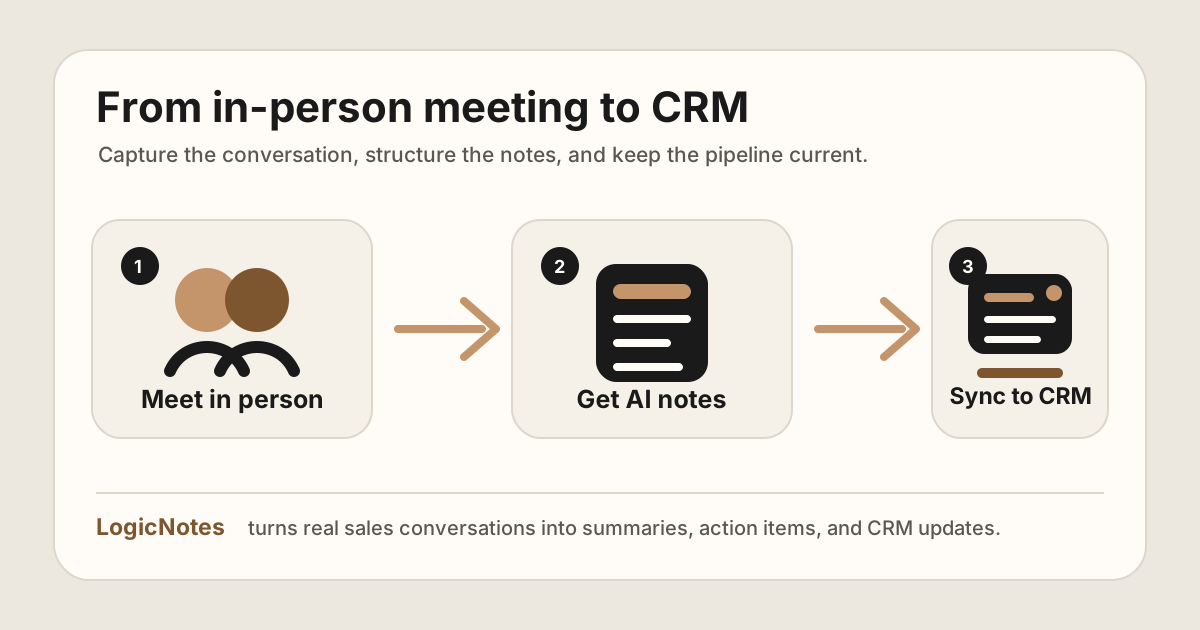
That is the LogicNotes wedge: record in-person meetings on your iPhone, get clean AI summaries and follow-ups, then let the notes and tasks sync automatically into your CRM or Google Sheets automatically. If you are comparing tools, pair this workflow with the AI note taker without a meeting bot guide and the AI meeting notes apps for in-person sales teams comparison.
Built for the meeting after the meeting.
LogicNotes helps founders and sales teams turn real conversations into structured notes, action items, and CRM updates. No meeting bot. No manual copy-paste. Just the sales context your CRM was missing.
Download LogicNotes for iOSIn-Person Sales Meeting Notes FAQ
What should sales reps capture after an in-person meeting?
Sales reps should capture the meeting outcome, buyer problem, objections, stakeholders, promised follow-up, task owner, due date, and the CRM record or field that needs to be updated.
When should sales meeting notes be added to CRM?
Sales meeting notes should be added to CRM while the conversation is still fresh, ideally before the next meeting or route stop, so details do not turn into vague end-of-day memory.
Are transcripts enough for sales meeting notes?
No. A transcript is useful raw material, but sales teams need structured notes with buyer context, objections, action items, owners, dates, and CRM-ready updates.
What is the best way to take notes after an in-person sales meeting?
The best workflow is to capture raw details immediately, sort them into summary, buyer context, objections, action items, and CRM updates, then send follow-up while the meeting is still fresh.
How should field sales reps turn meeting notes into follow-up?
Field sales reps should turn notes into follow-up by extracting the promised deliverable, owner, due date, buyer reason, and CRM task before moving to the next customer visit.
What sales meeting notes should go into CRM?
CRM should receive the meeting summary, buyer problem, stakeholders, objections, next step, task owner, due date, and any account or opportunity fields that changed.
Can in-person sales meeting notes sync to Salesforce, HubSpot, or Google Sheets?
Yes. In-person sales meeting notes can sync to Salesforce, HubSpot, or Google Sheets when the note is structured into summary, account context, contacts, outcome, action items, owner, due date, and CRM destination.
What CRM fields should in-person sales meeting notes create?
In-person sales meeting notes should create or update fields for account, contact, meeting type, outcome, summary, buyer signal, next step, task owner, due date, objection or risk, and CRM sync status.
How do in-person sales meeting notes reduce CRM admin?
They reduce CRM admin by capturing the meeting once, then turning the same note into a clean summary, follow-up task, owner, due date, and CRM update instead of asking reps to rewrite the conversation later.
Should field sales reps use an AI notes app?
An AI notes app helps when reps have frequent in-person meetings, need to stay present, and still need clean summaries, action items, and CRM updates after each customer visit.
Should I record every in-person sales meeting?
Only when it is appropriate and lawful. Recording rules vary by location and situation, so get consent where required and be clear with customers. The operational goal is simple: preserve the facts of the meeting so you can follow up properly.