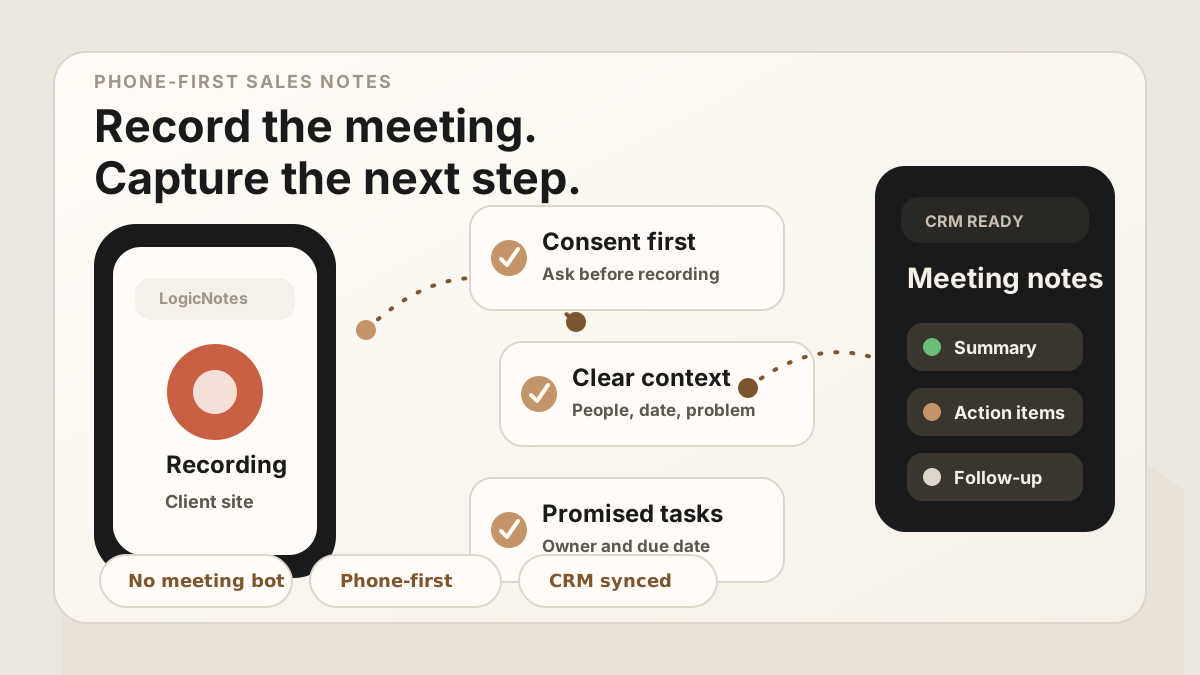
The iPhone is already the easiest recording device most sales people carry. It is in your pocket at the customer site, in the lobby, at the trade show table, in the car after the meeting, and beside you when the buyer says the thing you know you should not forget.
The problem is that a recording by itself is not a sales note. A thirty-minute audio file still has to become a useful summary, specific follow-up, action items, objections, stakeholders, and CRM context. If that step waits until later, the meeting may as well have lived in your memory.
The strongest 2026 workflow treats the iPhone as the capture layer and a sales-note system as the operating layer. Record with permission, keep the conversation natural, then turn the audio or transcript into the fields your team actually uses: meeting summary, next steps, CRM tasks, owners, due dates, follow-up status, and the right account or sheet row.
For field teams, that makes iPhone recording one capture layer inside the broader field sales app CRM field map. It belongs beside the phone workflow, mobile CRM, outside sales app stack, outside sales visit notes, and an after-sync hygiene habit that keeps raw audio from becoming messy CRM text.
Use the iPhone for capture. Use a clear workflow to turn the recording into AI sales notes your CRM can actually use.
Quick Answer: How Should Sales Reps Record Meetings on iPhone for CRM Notes?
Sales reps should record meetings on iPhone only with clear consent, capture the meeting or an immediate post-meeting recap, then turn the audio into a reviewed summary, action items, owners, due dates, account or opportunity context, CRM destination, follow-up status, and sync status before the next customer stop. The useful output is not the raw recording. It is the approved Salesforce, HubSpot, Google Sheets, or CRM task update that preserves what the buyer said and what the rep promised.
- If recording quality is poor: use a short structured recap right after the meeting with account, attendees, pain, objections, promises, and next steps.
- If notes arrive too late: prioritize same-day review, action-item extraction, owner assignment, due dates, and CRM task creation before the rep leaves the route.
- If CRM sync creates risk: review consent, account match, contact match, sensitive details, required fields, sync errors, and whether the full recording should be kept.
Why iPhone Works for In-Person Sales Meetings
For in-person sales meetings, the best recorder is usually the one you can start without rearranging the room. Apple built Voice Memos so the iPhone can act as a portable recording device, and supported iPhone setups can use the built-in microphone, a supported headset, or an external microphone.
That makes the iPhone a strong fit for sales work because in-person meetings rarely happen in perfect conditions. You might be at a customer office, a conference table, a hotel lobby, a restaurant, or standing near a booth after a demo. A phone-first workflow is practical because it matches the reality of field selling.
This is also why many in-person teams compare iPhone capture with an AI note taker without a meeting bot. Meeting bots can work for scheduled online calls, but field sales reps often need something that starts from the phone, respects the customer setting, and still produces the same useful output as a formal meeting assistant.
- It is always nearby. You do not need a laptop, meeting bot, or conference room setup.
- It fits the real setting. Many customer conversations happen outside Zoom, Teams, or a formal calendar invite.
- It captures nuance. Objections, buying signals, wording, and promises are easier to preserve in audio than in rushed notes.
- It works for immediate recaps. If you cannot record the full conversation, you can still record a quick recap right after the meeting.
iPhone Capture Options in 2026
There is more than one iPhone recording workflow now. Pick the capture mode that fits the meeting, then make sure the output becomes sales notes instead of another file to manage.
| iPhone workflow | Best for | Sales note watch-out |
|---|---|---|
| Voice Memos | In-person meetings, site visits, trade shows, and post-meeting recaps. | Great for capture, but the audio still needs to become a summary, action items, and CRM context. |
| Phone or FaceTime audio call recording | Phone conversations where call recording is available in your language and region. | Apple notes that participants hear an audio notice and that transcripts should be checked before relying on them. |
| Local capture for videoconferences | Recording audio and video from supported videoconference workflows on iPhone. | Useful for online meetings, but it does not replace a field-sales workflow for customer visits and hallway conversations. |
| Notes with Apple Intelligence summaries | Supported devices and regions where Notes can summarize an audio transcript. | A summary still has to map to the right account, contact, deal, task, and follow-up owner. |
Before You Record: Consent and Setup
Start with consent. Recording rules vary by location and situation, so do not treat this as legal advice. The practical sales habit is simple: be clear, ask before recording, and give people an easy way to say no. Apple also tells users to confirm willingness before call recording and to check feature availability for language and region.
A plain sentence is usually enough for the business context: "Is it okay if I record this so I can send you accurate notes and follow-up after?" If the answer is no, do not record the meeting. You can still record your own recap after the conversation, away from the meeting, using only what you are allowed to capture.
Quick pre-record checklist
Best iPhone Recording Setup for Sales Notes
The goal is not studio audio. The goal is usable speech. A sales note workflow does not need perfect production quality, but it does need enough clarity for transcript, summary, and action-item extraction.
| Situation | Best setup | Example |
|---|---|---|
| Quiet office meeting | Place the iPhone flat on the table between speakers. | Discovery call in a prospect's meeting room. |
| Noisy conference or trade show | Record a short recap immediately after the conversation, or use an external mic when appropriate. | Booth conversation, hallway chat, customer dinner. |
| Car or field recap | Record a structured recap before driving or once parked safely. | Voice note after a site visit or field sales route stop. |
| Multiple attendees | Introduce names and roles early so speakers and responsibilities are easier to identify later. | Buyer, evaluator, finance contact, and implementation lead. |
| Sensitive discussion | Get explicit permission, or skip recording and write a private recap afterward. | Pricing concerns, procurement friction, implementation risks. |
Best iPhone Recording Workflow by Sales Meeting Type
Different sales meetings need different capture habits. A customer office visit has room for a full recording. A booth conversation may only have enough space for a fast recap. A site walk may need short notes between stops. Choose the lightest workflow that still preserves the next step.
| Meeting type | Recording approach | What should become structured notes |
|---|---|---|
| Customer office visit | Ask at the start, place the iPhone on the table, and state the account, attendees, and meeting goal. | Discovery summary, pain, objections, stakeholders, next meeting, CRM tasks, and follow-up owner. |
| Field demo or site walk | Capture short segments or record an immediate recap after each meaningful stop. | Operational constraints, technical questions, photos or references to review, open risks, and implementation actions. |
| Conference or booth meeting | Skip noisy full-room capture when it will be unusable; record a concise recap after the conversation. | Company, lead source, interest level, promised asset, timing, buying role, and follow-up date. |
| Coffee, lunch, or hallway conversation | Record only with clear permission, or capture your own recap afterward in a quieter place. | Relationship context, new information, buyer sentiment, promised intro, and any sensitive details that should stay limited. |
| Post-meeting car recap | Before driving, record a two-minute recap while the details are fresh. | Top takeaway, missed questions, follow-up tasks, deal risk, and the CRM update needed before the next stop. |
What to Capture for CRM-Ready Sales Notes
A good recording workflow is not just about preserving words. It is about preserving the pieces that make follow-up useful. If the CRM only gets a transcript, the sales person still has to interpret it later. If the CRM gets structured notes, the next step is obvious.
For reps choosing the broader mobile stack around routes, CRM access, meeting notes, and follow-up, see the field sales app guide. If the biggest friction is updating accounts from the road, pair it with the mobile CRM guide. If reps are moving between customer stops, the sales route planning guide, and outside sales visit notes guide explain where meeting capture fits after each visit. For a wider comparison of note-taking tools, use the AI meeting notes apps guide for in-person sales teams.
Listen for the parts of the meeting that change what you do next. That usually means the business reason for the conversation, the buyer's current process, the pain, the objection, the decision process, the promised follow-up, and the due date.
Sales note fields worth capturing
From Recording to CRM Notes
The best post-meeting workflow is short enough to repeat after every customer conversation. If it takes twenty minutes of admin, it will eventually get skipped.
For the task side of the workflow, see how to capture action items from sales meetings. If you are using a spreadsheet instead of a full CRM, see Google Sheets CRM for sales meeting notes and its after-sync hygiene. For the full post-meeting operating rhythm, connect the recording workflow to in-person sales notes and a CRM admin reduction workflow.
iPhone Recording to CRM Handoff Checklist
The handoff is where most iPhone recording workflows either become useful or fade into storage. Before the rep leaves the parking lot, the meeting should be reduced to the few fields that decide follow-up quality.
CRM-ready output from one iPhone recording
If your team wants the recording to become a task queue instead of a transcript archive, use the sales meeting notes to CRM tasks workflow. If the next step is a customer message, pair the output with the in-person sales call follow-up template.
After iPhone Notes Sync: Keep the CRM Clean
Modern AI note tools, including LogicNotes, sync recorded meeting notes to the CRM automatically. There is no approval screen between the meeting and the record, and that is the point: the rep stays out of data entry. The trust layer moves into the CRM itself, as a quick after-sync habit instead of a pre-sync gate.
After a synced note lands, a two-minute pass covers what matters: confirm the note attached to the right account or contact, make sure the next step exists as a real task with a date, and fix anything that looks off by editing the note or task directly in Salesforce, HubSpot, Zoho CRM, Dynamics 365, or Google Sheets. Edits made in the CRM are visible to managers and teammates right away, so the record stays trustworthy without slowing down the field day.
Common iPhone Recording Mistakes
Most recording problems are easy to avoid. The hard part is building a repeatable habit so the recording becomes useful sales data, not another file you never open.
- Recording without clear permission. Consent should be handled before the meeting is captured.
- Leaving the phone in a pocket. Fabric noise and distance can make speech hard to understand.
- Saving only the raw audio. A recording is useful only if it becomes a summary, action items, and CRM context.
- Waiting too long to review the notes. The best follow-up usually happens while the buyer still remembers the conversation.
- Creating vague tasks. "Follow up" is weaker than "Send pricing and implementation timeline to Jane by Friday."
Where LogicNotes Fits
LogicNotes is built for sales people who have real-world conversations and need the CRM to reflect what actually happened. Record an in-person meeting or immediate recap on your iPhone, then turn it into a clean summary, action items, follow-up context, and CRM or Google Sheets updates.
Voice Memos, call transcripts, and Apple Intelligence summaries can be useful source material. LogicNotes is for the step after that: the part where the conversation becomes sales memory, pipeline context, and the next task in the right system. That is especially useful for teams trying to reduce CRM admin, because the rep should not have to type the same meeting into a note app, spreadsheet, task list, CRM field, and follow-up email. In a field workflow, it pairs naturally with outside sales CRM, and the sales rep app workflow.
iPhone Recording FAQ
Can you record a sales meeting on iPhone?
Yes. An iPhone can record in-person meeting audio with Voice Memos, supported call recordings where available, audio in Notes on supported setups, or local capture during some video workflows. Sales teams should choose the capture mode that fits the meeting and get consent before recording.
What is the best way to record an in-person sales meeting on iPhone?
For most face-to-face sales meetings, use Voice Memos or Notes audio recording, place the phone near the conversation, state the meeting context at the start, and save the recording into a workflow that creates a summary, action items, and CRM updates.
Do sales reps need consent before recording a meeting?
Yes. Recording rules vary by location and meeting context, so the practical sales workflow is to ask clearly before recording, follow the rules that apply, and stop or skip recording if anyone is uncomfortable.
Can iPhone meeting recordings become AI sales notes?
Yes. The recording or transcript can become AI sales notes if it is processed into a structured summary, customer pain, objections, decisions, promised follow-up, action items, owners, due dates, and CRM context.
What should an iPhone sales meeting recording capture?
Capture the account, attendees, roles, customer problem, business impact, objections, competitors, buying process, promised follow-up, dates, and the CRM record or Google Sheets row that should receive the final notes.
How do you turn an iPhone recording into CRM tasks?
Turn the recording into a short summary, then extract every promised next step as a task with an owner, due date, account, contact, deal, and follow-up note. Sync or paste those tasks into the CRM before the next customer stop.
Can iPhone meeting recordings sync to Google Sheets or CRM?
Yes, if the recording workflow creates structured fields. A good handoff sends the summary, action items, due dates, contact, company, deal, and follow-up status to the CRM or a Google Sheets sales tracker.
Should you keep the full recording or only the summary?
Keep only what your company policy, customer expectations, and applicable rules allow. Many sales teams use the full recording as temporary source material, then rely on the approved summary, tasks, and CRM notes for ongoing pipeline work.
Do not let iPhone recordings become forgotten audio files.
LogicNotes turns in-person sales conversations into summaries, action items, and CRM updates while the details are still fresh.
Download LogicNotes for iOS