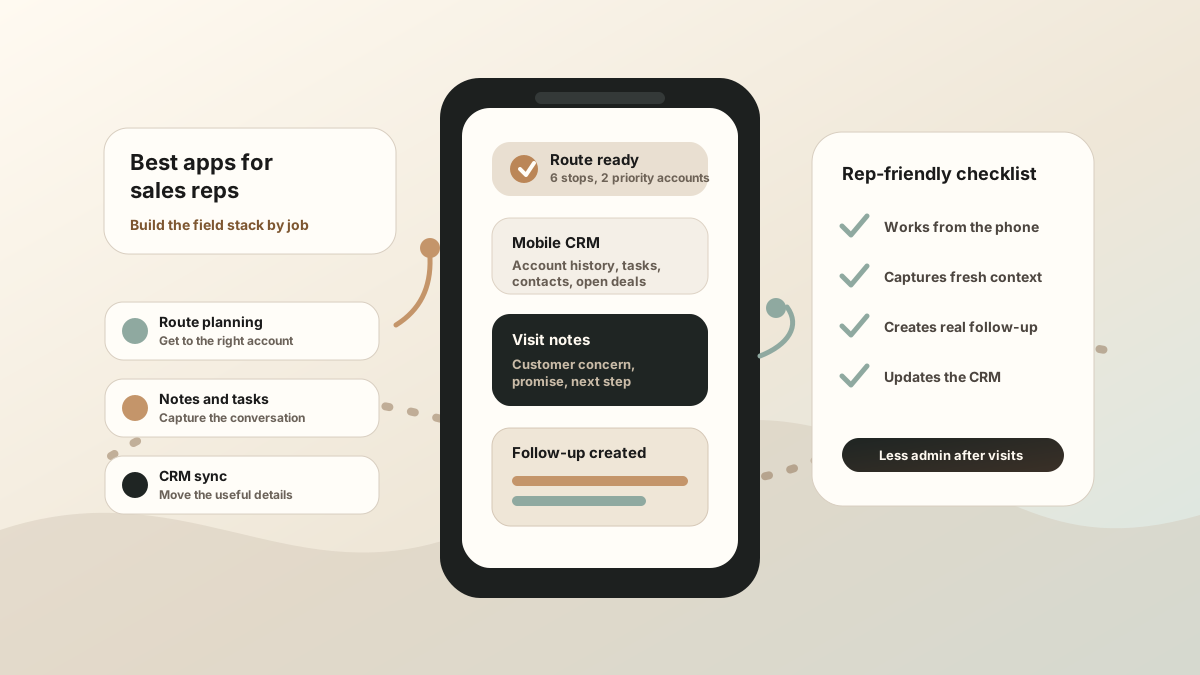
The best apps for sales reps are not always the biggest platforms. For reps in the field, the best setup is usually the smallest stack that helps them plan the day, meet the customer, capture the conversation, create follow-up, and update the CRM before the details fade.
That is different from a generic list of sales tools. A rep who spends the day driving between customer sites does not need another dashboard to check at night. They need a phone-first workflow that works between meetings.
A good sales rep app stack should reduce the distance between a real customer conversation and the next action in CRM.
Best Sales Rep Apps by Role or Field Motion
The best sales rep app is different for a territory rep, an account executive on customer visits, an event rep collecting leads, and a retail rep checking store execution. Before comparing vendor lists, choose the job the app has to own.
| Rep motion | Best app category to prioritize | Why it matters |
|---|---|---|
| Territory or route-heavy rep | Route planner, map-based account list, visit tracking, and mobile CRM. | The rep needs to group nearby stops, see account priority, capture each visit, and avoid losing notes after the route changes. |
| Relationship-heavy account rep | Mobile CRM, customer meeting notes, action items, and follow-up tasks. | The rep needs the latest account context before the visit and a reliable way to turn the conversation into CRM-ready next steps. |
| Trade-show or event rep | Fast capture, qualification notes, contact capture, reminders, and same-day follow-up. | The rep may talk to dozens of buyers quickly, so the app has to preserve names, intent, objections, and promised next actions. |
| Retail, distributor, or store-visit rep | Store-visit tracking, forms, photos, order capture, merchandising notes, and reporting. | The rep needs structured execution data as much as relationship context. |
| Manager-led field team | Activity logging, check-ins, visit outcomes, coaching notes, and CRM reporting. | Managers need visibility, but the workflow still has to be fast enough that reps keep it current. |
For most B2B field teams, the best stack is a small set of connected tools: a route or calendar workflow, a mobile CRM, a note-capture layer, and a follow-up system that pushes the useful details back into CRM.
What Apps Do Sales Reps Need in the Field?
Start with jobs, not vendor names. Most sales reps in the field need six app categories: route planning, mobile CRM, visit notes, follow-up, files or proposals, and reporting. The exact tools can vary, but the handoff between them has to be clear.
If you are comparing the broader field-sales category, start with the field sales app guide. This page is the rep-level version: what should be on the phone, what should sync to CRM, and what should stay out of the rep's way.
Best App Categories for Sales Reps
| App category | What it should do | Where it breaks |
|---|---|---|
| Mobile CRM | Show account history, contacts, open deals, tasks, and recent activity from the phone. | The CRM becomes a desktop system reps update later instead of a useful field tool. |
| Route planning | Help reps sequence stops around account priority, appointment windows, distance, and follow-up needs. | The route is efficient, but nothing from the visit becomes a task or CRM update. |
| Visit notes | Capture customer context, objections, stakeholders, promises, and next steps while the meeting is fresh. | Notes stay in a private app, notebook, or voice memo and never reach the system of record. |
| Follow-up and tasks | Turn promises into emails, reminders, CRM tasks, owners, and due dates. | The task says "follow up" but does not explain what was promised or why it matters. |
| Files and proposals | Keep decks, brochures, quotes, contracts, business cards, and customer files easy to send or capture. | Important material is on a laptop, in a shared drive, or with someone back at the office. |
| Reporting | Show visits, outcomes, tasks, and next steps without making reps rewrite the day. | Managers get a report, but reps spend the evening doing duplicate admin. |
Field Sales Apps vs Desk Sales Apps
Desk sales tools often optimize for inboxes, call queues, sequences, and dashboards. Those can help, but field reps have a different constraint: they are moving through physical space. The app has to work in a vehicle, at a customer site, in a hotel lobby, or between trade-show conversations.
That is why the best sales rep apps in the field overlap with mobile CRM for field sales reps, sales route planning, sales route notes, and field sales CRM notes. The tool should meet the rep where the work actually happens.
A Practical Daily Workflow for Sales Reps
The right apps should support the sales day from first stop to final follow-up.
Before the first visit
Review the route, calendar, account history, open tasks, and last conversation. If the rep has to open five apps to remember why they are visiting the customer, the stack is already too heavy.
During the conversation
Keep attention on the buyer. If the meeting is recorded, get consent and let the notes workflow preserve the details. If it is not recorded, capture only the details that matter: need, objection, stakeholder, quote request, competitor, number, timeline, and promised next step.
Right after the visit
Convert the conversation into CRM-ready context. This is where LogicNotes fits: the rep can turn an in-person meeting into a summary, action items, and follow-up details that sync into the system the team already uses.
At the end of the day
The rep should review what was captured, not reconstruct the day from memory. Visits, notes, tasks, and follow-up should already be connected.
How to Choose a Sales Rep App Stack
Do not choose apps by feature count alone. Choose them by the part of the sales day they make easier.
- Phone-first use: Can the rep complete the action from a phone between meetings?
- Fast capture: Can the rep preserve notes, tasks, and visit context before the next stop?
- CRM handoff: Does useful context reach Salesforce, HubSpot, Zoho, Dynamics, Google Sheets, or the system of record?
- Offline tolerance: Can the rep capture work first and sync later when signal improves?
- Clear ownership: Do follow-up items include owner, date, customer context, and source meeting details?
- Less duplicate admin: Does the stack remove typing, or does it create another place to update?
If CRM admin is the core pain, use the CRM admin reduction workflow. If follow-up is the problem, use the field sales follow-up app workflow. If the team needs manager visibility, pair visit tracking with useful notes using the sales rep visit tracking workflow and the field sales activity logging workflow.
Common Sales Rep App Mistakes
- Buying one giant app before defining the handoff. If nobody owns route, notes, tasks, and CRM sync, the stack still breaks.
- Choosing manager visibility over rep usability. If the rep hates updating it, the reporting will not stay accurate.
- Leaving notes out of the CRM workflow. A visit record without context is not enough for follow-up.
- Using a bot-first note tool for in-person meetings. Field reps need capture that works when there is no Zoom, Teams, or Meet call.
- Creating tasks without meeting context. The best task tells the rep what was promised, who owns it, when it is due, and which meeting created it.
Where LogicNotes Fits
LogicNotes is built for the meeting-notes layer of the sales rep app stack. Record an in-person customer meeting on iPhone with consent, get a clean AI summary and action items, then sync the useful parts to Salesforce, HubSpot, Zoho, Dynamics, or Google Sheets.
It does not replace your CRM, route planner, calendar, or proposal tool. It makes the handoff between the customer conversation and those systems cleaner.
Sales Rep App FAQ
What is a sales rep app?
A sales rep app is a mobile tool or connected app stack that helps reps plan visits, review customer context, capture notes, create follow-up, share sales materials, report activity, and update the CRM from the field.
What apps do sales reps need in the field?
Sales reps in the field usually need mobile CRM, route planning, meeting or visit notes, follow-up tasks, files or proposals, and lightweight reporting. The best stack keeps those jobs connected instead of forcing reps to rewrite the same visit in several tools.
What is the best app for sales reps?
The best app for a sales rep depends on the job that slows them down. Route-heavy reps need route planning. CRM-heavy reps need fast mobile updates. Reps who sell through in-person conversations need accurate notes, tasks, follow-up, and CRM sync.
Is a sales rep app the same as a CRM?
No. A CRM is the system of record for accounts, contacts, deals, and pipeline stages. A sales rep app is the tool or app stack the rep uses during the day to plan visits, capture context, create follow-up, and keep the CRM useful.
What features should a sales rep app include?
A sales rep app should include phone-first CRM access, route or calendar context, visit tracking, offline-friendly notes, follow-up tasks, document or proposal access, lightweight reporting, and CRM sync. The best mix depends on whether the rep is route-heavy, account-heavy, event-based, or retail-focused.
Should sales rep apps work offline?
Yes. Reps often work in customer sites, conference halls, vehicles, retail locations, and areas with weak signal. At minimum, they should be able to capture notes, tasks, and visit context first, then sync when the connection returns.
How many apps should a sales rep use?
Use as few apps as possible while covering the important jobs: route, CRM, notes, follow-up, files, and reporting. Too many disconnected apps create more admin and make the CRM less reliable.
Where does LogicNotes fit in a sales rep app stack?
LogicNotes fits in the in-person meeting-notes layer. It helps reps record customer meetings with consent, generate summaries and action items, and sync CRM-ready context to tools like Salesforce, HubSpot, Zoho, Dynamics, or Google Sheets.
Turn sales rep visits into CRM-ready notes.
If your reps have useful customer conversations but the CRM gets thin updates later, LogicNotes was built for that gap.
Download LogicNotes for iOS